
The market for apps that record lectures and take notes for you has exploded over the past year. Tools like VOMO AI, Otter.ai, and Notigo promise to capture your classes, transcribe everything, and give you clean summaries with minimal effort. For students trying to keep up with dense lectures while actually understanding the material, these tools sound like the perfect solution.
But here's the problem: most AI lecture recorders were designed for business meetings, not for students sitting in lecture halls. They might capture audio and generate text, but they often miss what matters most—helping you learn.
I recently tested VOMO AI and Notigo side-by-side to see which one actually delivers on the promise of being the best app to record lectures and take notes. Both tools claim to use AI to turn recordings into organized notes, but the experience couldn't have been more different.
VOMO feels like a lightweight ChatGPT wrapper with a clean interface but limited functionality. Notigo, on the other hand, is purpose-built for students who want to record classes and walk away with study-ready notes—not just transcripts they'll have to clean up later.
In this VOMO vs Notigo comparison, I'll break down what each tool does well, where they fall short, and which one is actually worth using when you're recording lectures in 2025.
First Impressions: Clean Interface, Hidden Limitations
When you first open VOMO AI, it looks polished. The interface is minimal and modern, with a prominent "New Note" button at the top of the screen. Click it, start recording, and VOMO begins capturing audio. On the surface, it feels effortless.
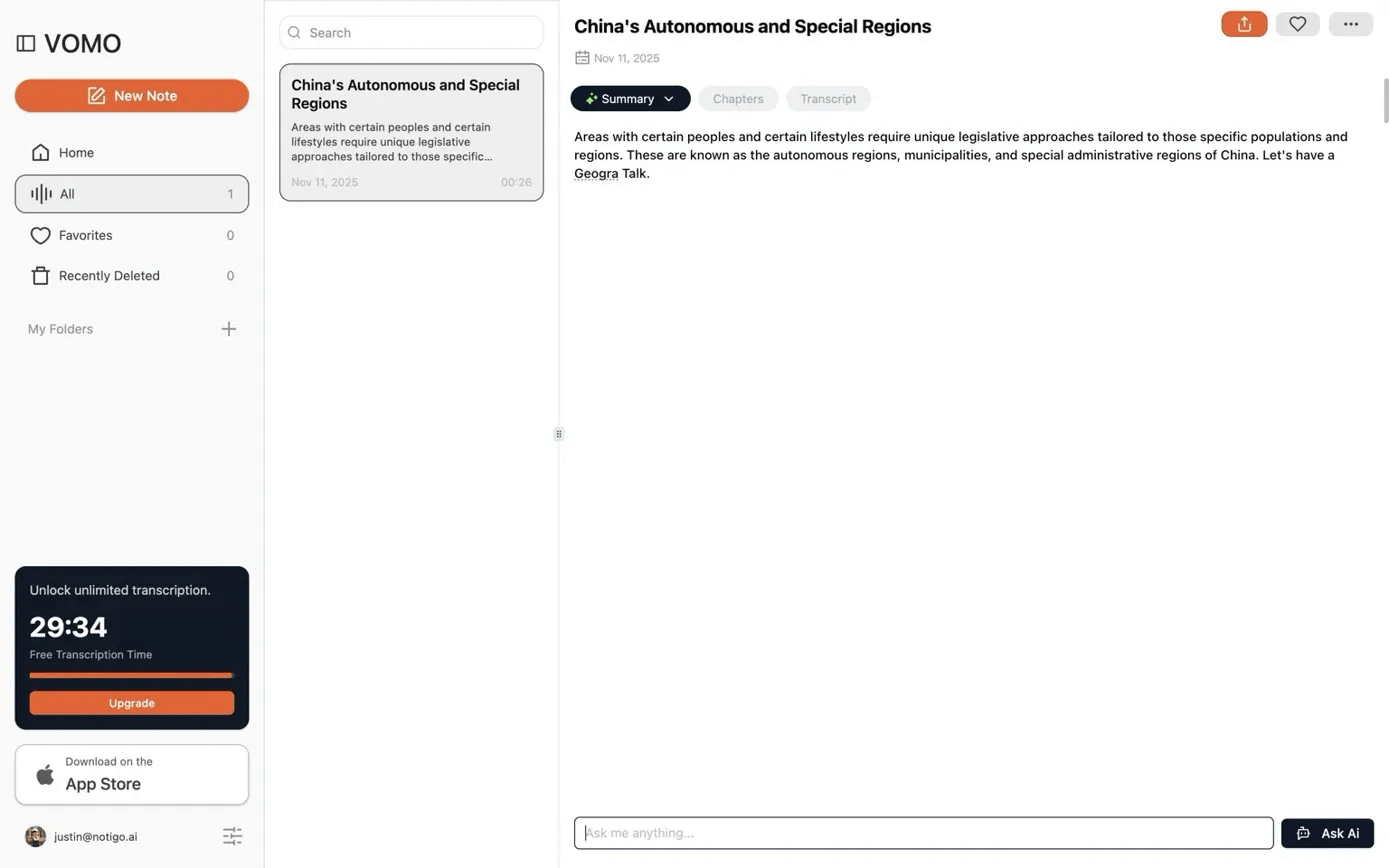
VOMO's AI is clean—but that comes at the cost of a breadth of features.
The problem is what happens next—or rather, what doesn't happen.
Unlike tools designed for students trying to record classes, VOMO doesn't show you the transcript or notes in real time. You have to finish your entire recording before you can see anything. That might work fine for short voice memos or quick meetings, but for a 50-minute lecture, it's a major drawback.
Students don't just need to capture lectures—they need to follow along as the notes are being generated. If your professor mentions something unclear or moves too quickly, you want to be able to edit, annotate, or add your own thoughts while it's still fresh. With VOMO, you're locked out of that workflow. You're recording blind, hoping the AI will catch everything important once you hit stop.
When I tested it with a sample lecture, I couldn't check if the transcript was accurate while recording. I couldn't add context to confusing sections or highlight key definitions as they were mentioned. I had to wait until the recording was done, then scroll through the output and manually fix errors. For students who want to actively engage with their notes during class, that's a dealbreaker.
By contrast, Notigo shows you the transcript and structured notes as they're being generated. You see each section take shape in real time, and you can edit, bold, or annotate while the lecture is still happening. It's designed for the way students actually learn—by staying engaged with the material, not passively recording it.
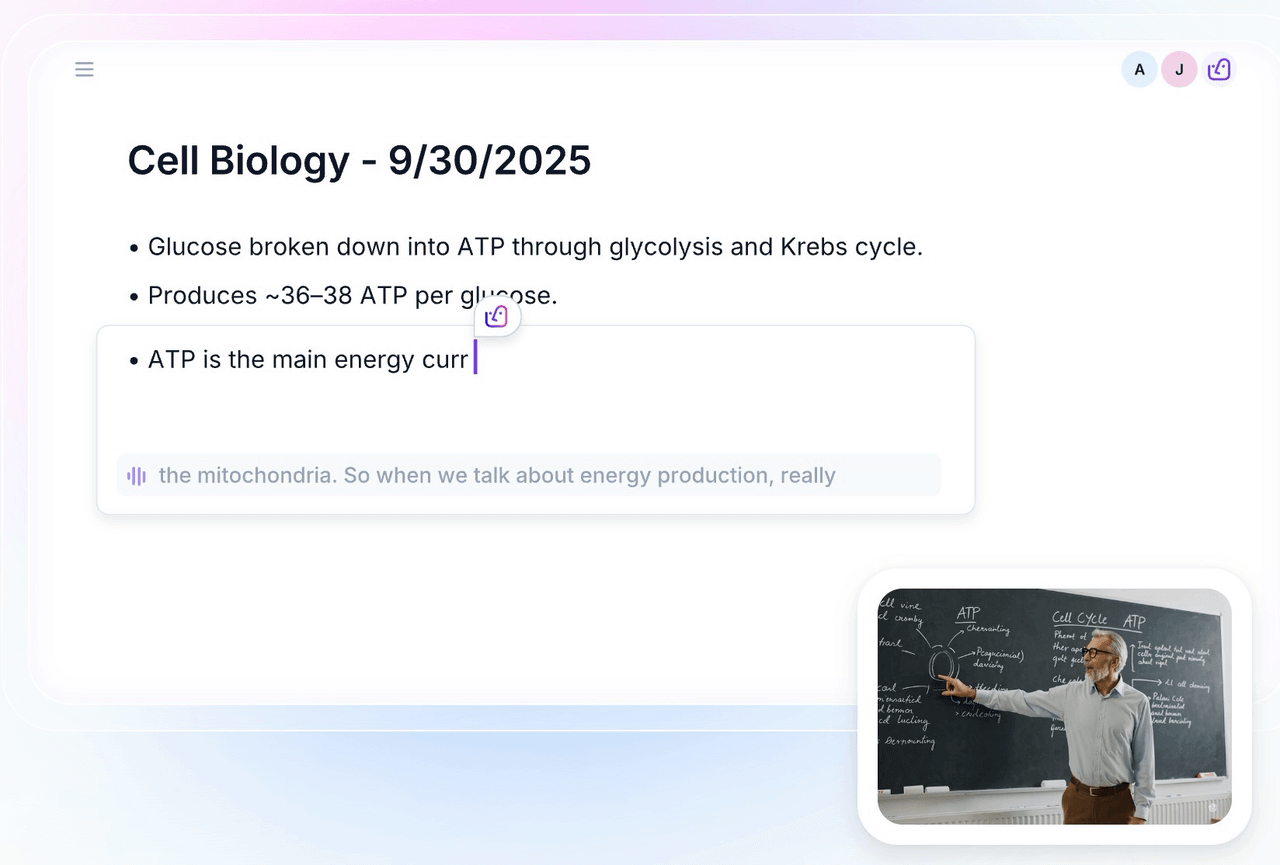
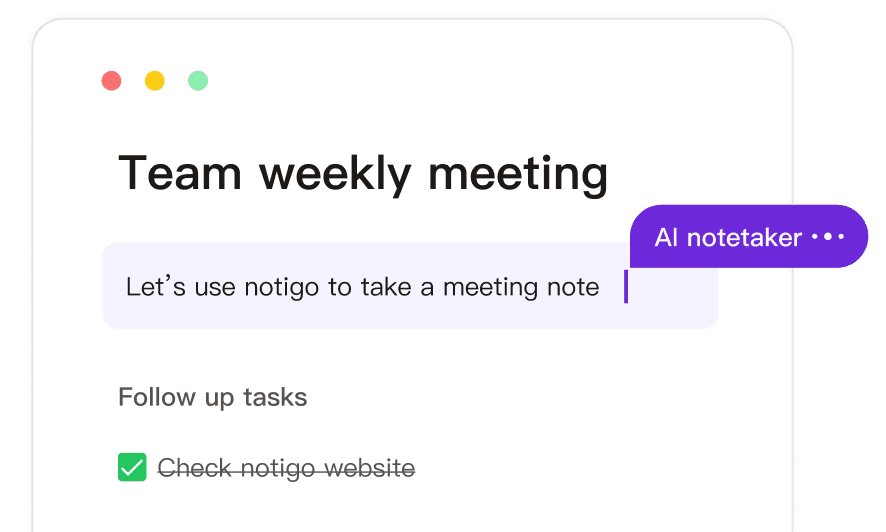
Notigo helps you take lecture notes in real-time and understands the context.
Transcription Quality: Functional, But Not Impressive
To VOMO's credit, it does transcribe audio. But the quality isn't anything special.
When I tested it with recorded lecture content, the transcription had noticeable issues. Words were occasionally misheard, technical terms were mangled, and punctuation was inconsistent. It wasn't unusable, but it also wasn't accurate enough to rely on without a manual review. For apps that record lectures and take notes for you, transcription accuracy is table stakes—and VOMO falls short of what competitors like Otter.ai or Notigo deliver.
The bigger issue is that VOMO treats transcription as the end goal. Once the recording is done, you get a transcript and a basic AI summary. But transcripts aren't notes. A wall of text isn't useful for studying. Students need structure: clear headings, definitions separated from examples, key points highlighted. VOMO doesn't provide that.
Even when you unlock the AI summary profiles—which are locked behind the paywall—the summaries are generic. They read like something you could get by copying the transcript into ChatGPT and asking for a summary. There's no awareness of academic context, no recognition that this is a lecture rather than a conversation. The AI doesn't distinguish between the professor introducing a new concept and a tangential story about their research.
Notigo, by comparison, was built specifically for recording lectures. Its AI understands how lectures are structured: topic introductions, definitions, examples, and transitions. As you record classes, it automatically organizes the content into sections that make sense for studying. You don't get a transcript dump—you get clean, hierarchical notes that are ready to review or export into flashcard apps like Anki.
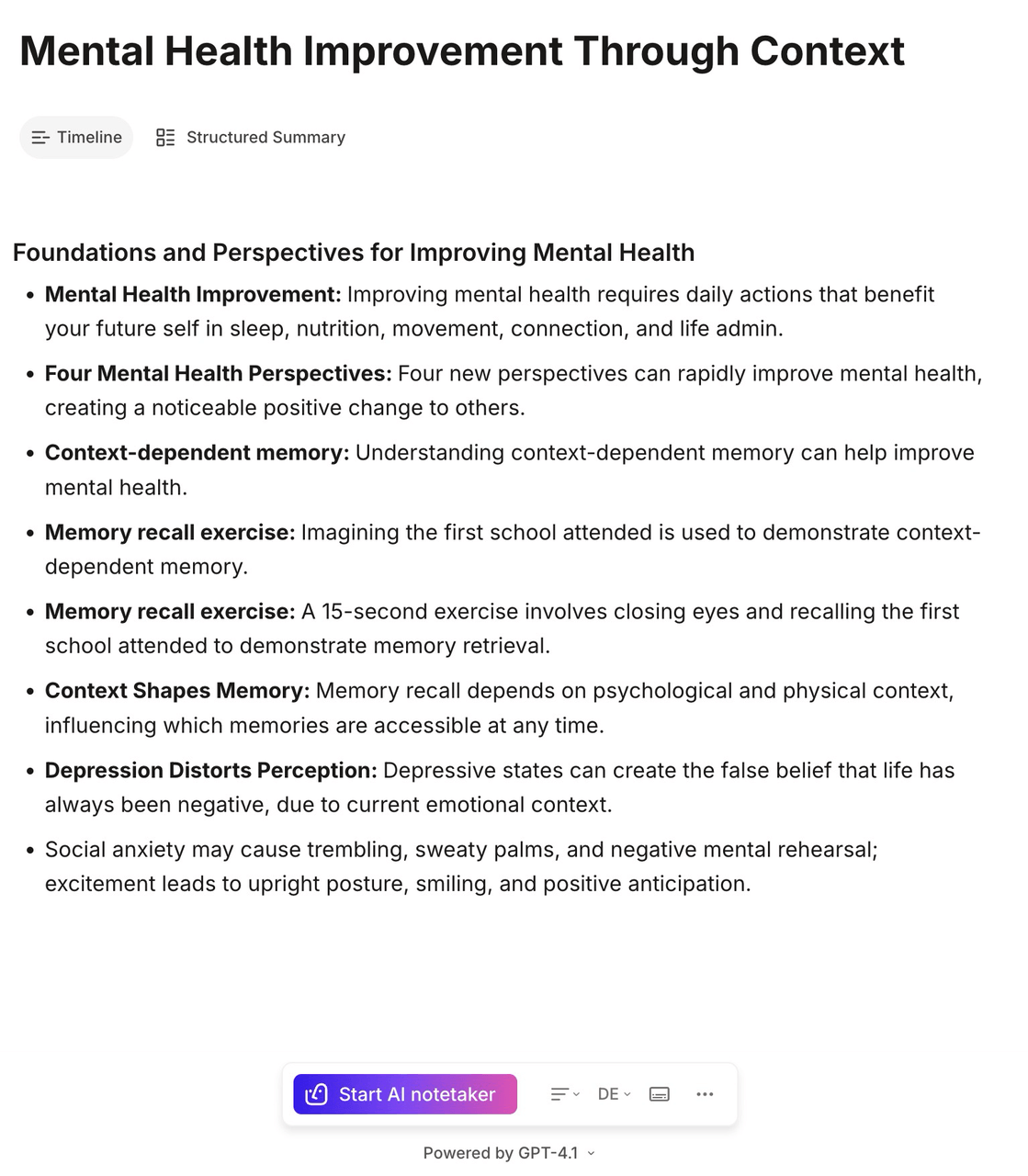
Notigo automatically structures your notes by subtopic.
That difference in design philosophy shows up everywhere. VOMO gives you text; Notigo gives you understanding.
The Dealbreaker: You Can't Edit Your Notes
Here's where VOMO's limitations become truly frustrating: you can't edit the notes.
Once the recording finishes and the AI generates a summary, what you see is what you get. If the transcription missed a word, if the AI misunderstood the context, or if you just want to add your own thoughts—too bad. The notes are static. You can't make changes, you can't restructure sections, and you can't personalize them to fit your learning style.
For students, this is a massive problem. Learning isn't passive. When you're reviewing notes, you need to be able to highlight key concepts, rewrite definitions in your own words, or add annotations that connect ideas across lectures. Tools that help you record lectures should support that kind of active engagement, not lock you into whatever the AI produced.
Notigo, by contrast, is built around editability. The notes are fully editable while you record and after the lecture ends. You can bold important terms, add images, insert links, or rearrange sections—just like you would in Notion or any modern note-taking app. It's designed to fit into a real study workflow, where notes are living documents you refine over time.
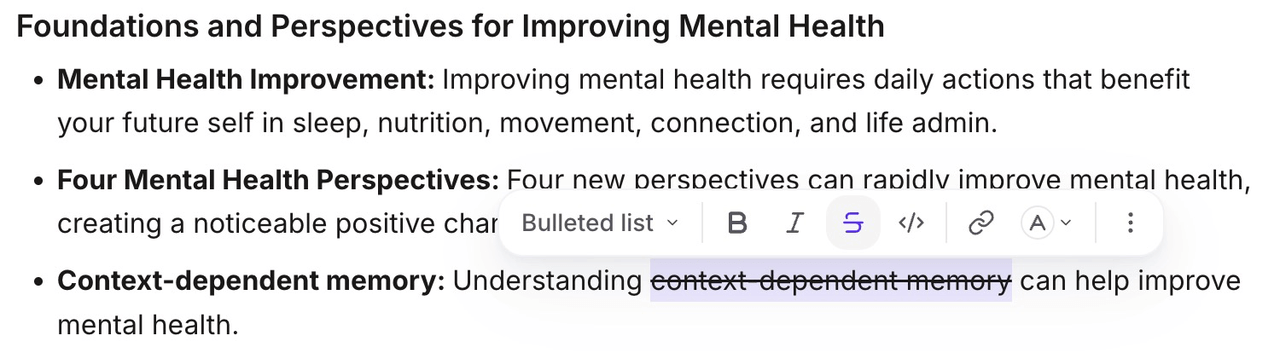
That difference matters. VOMO might capture your lecture, but Notigo helps you learn from it.
Privacy: At Least VOMO Gets This Right
One thing VOMO does well is privacy. Like Notigo, it doesn't store your recordings after they're processed. The audio is transcribed, the notes are generated, and the original recording is deleted. For students who want to record classes without worrying about where that data lives or who has access to it, that's reassuring.
This is an advantage both VOMO and Notigo share over tools like Otter.ai or Fireflies, which often require bots to join meetings or sync with your calendar. Those tools are built for business workflows, where recorded meetings are archived and searchable across teams. That's useful in corporate settings, but it's overkill—and potentially invasive—for students.
Notigo keeps things simple. It's entirely browser-based, with no downloads, no bots, and no calendar integrations. You open the app, start recording, and the notes begin forming immediately. Everything stays private by default. VOMO takes a similar approach, which is one of its few genuine strengths.
But privacy alone doesn't make a tool useful. If the notes aren't editable, if the AI doesn't understand lectures, and if the workflow is rigid and limiting, then the privacy features don't matter much. You're just protecting content that isn't particularly helpful in the first place.
Pricing: Weekly Plans and Expensive Upgrades
VOMO's pricing structure is where things get especially frustrating. The free tier is extremely limited—you get about 30 minutes of transcription time before you're pushed to upgrade. That might be enough to test the tool, but it's nowhere near enough to rely on it for regular lectures.
The paid plan is advertised at $1.92 per week, which sounds affordable until you realize that's just marketing sleight of hand. Why would anyone talk about weekly pricing? It's clearly designed to make the cost seem smaller than it is. When you do the math, that "weekly" rate works out to about $99 per year—or roughly $20 per month if you choose the monthly billing option.
For students on a budget, that's a steep price to pay for a tool that doesn't even let you edit your notes. You're paying for transcription and basic AI summaries, features you could replicate by recording audio on your phone and pasting the transcript into ChatGPT. VOMO doesn't add enough value to justify the cost.
Notigo, by comparison, is priced with students in mind. The free tier lets you genuinely test the product, and the paid plan is just $4.99 per month with unlimited recordings. You get real-time note generation, full editability, context-aware summaries, and privacy-first design—all for a fraction of what VOMO charges. It's the difference between a tool built for students and a tool trying to monetize them.
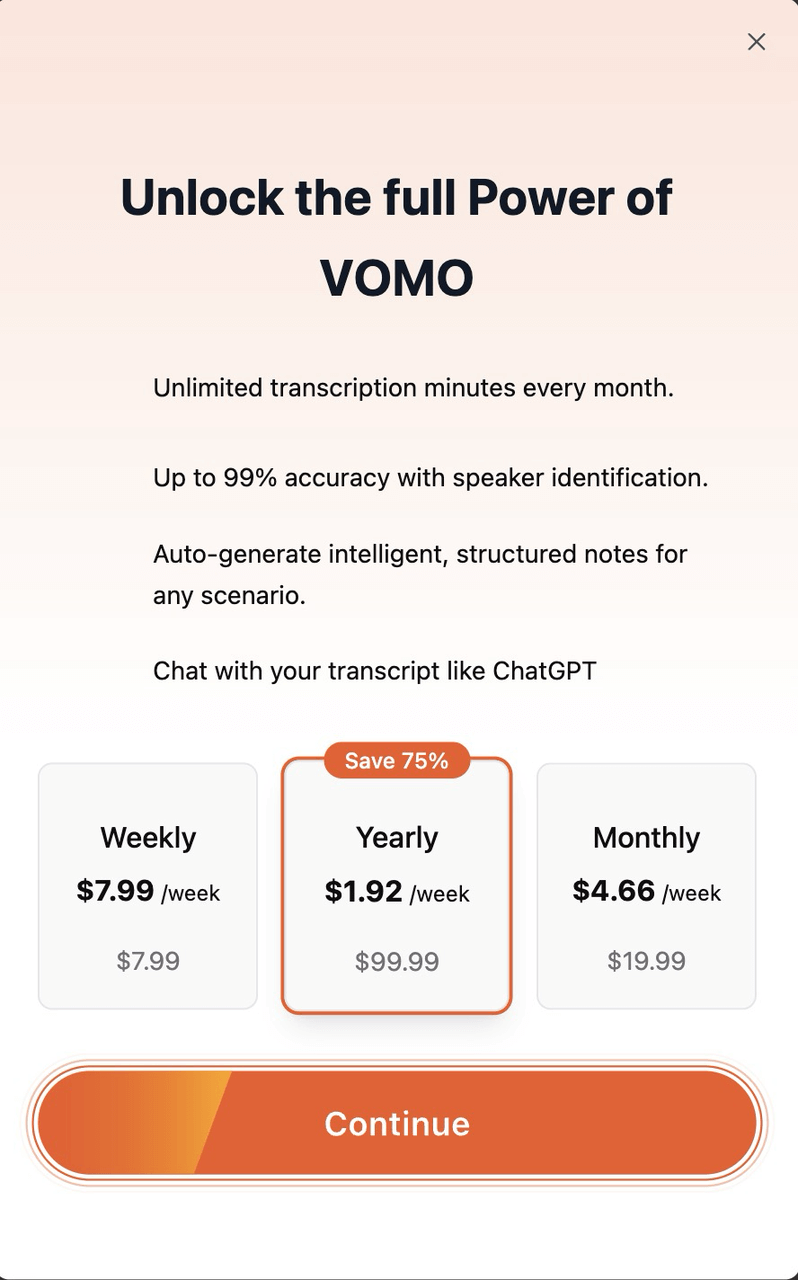
VOMO's weekly pricing is a bit misleading. But nevertheless, it's quite expensive for what is essentially a GPT wrapper.
VOMO's Real Problem: It's Just a ChatGPT Wrapper
The more time I spent with VOMO, the more it became clear that there's nothing special about it. At its core, it's a simple app that records audio, transcribes it using standard speech-to-text APIs, and then feeds that transcript into a large language model to generate a summary.
You could do the exact same thing yourself with a ChatGPT subscription—and you'd probably get better results because you could customize the prompts and ask for summaries in the format you actually need.
VOMO doesn't understand lectures. It doesn't know how to structure notes for studying. It doesn't let you edit or personalize the output. It's a thin layer of UI on top of generic AI tools, packaged as a product and sold at premium pricing.
For students who want to record lectures and actually learn from them, that's not enough. You need a tool that's designed with academic workflows in mind, that generates notes you can edit and refine, and that integrates seamlessly with the way you study.
Notigo does all of that. It's not just transcription plus AI—it's a note-taking assistant built specifically for recording classes. The AI knows how lectures work. It structures notes in real time. It gives you control over the final output. And it doesn't pretend to be more than it is.
When Real-Time Notes Actually Matter
Let me give you a concrete example of why real-time notes make such a difference.
Imagine you're in an organic chemistry lecture. Your professor is explaining reaction mechanisms, drawing structures on the board, and walking through each step. They mention a reagent you've never heard of, spell it quickly, and move on.
With Notigo, you'd see that term appear in your notes as it's being transcribed. If the AI misspells it or gets it wrong, you can correct it immediately while the lecture is still fresh. You can bold it, add a note to yourself to look it up later, or even paste in an image of the structure if you screenshot the slide.
With VOMO, you're out of luck. You have to finish the entire recording, wait for the transcript to generate, scroll through the wall of text to find that one term, and hope the AI didn't mangle it beyond recognition. By the time you're reviewing the notes, you've forgotten the context, and you'll have to spend extra time piecing it back together.
That's the difference between a tool that helps you learn and a tool that just captures audio. Real-time note generation isn't a luxury—it's essential for staying engaged with the material and building understanding as you go.
For students trying to keep up with fast-paced lectures in subjects like STEM, economics, or law, that real-time feedback loop is what makes the difference between passive recording and active learning.
The Ultimate Study Workflow: Capture, Process, Review
One of the core ideas behind effective studying is the "capture → process → review" cycle. You need to capture information during class, process it into structured notes afterward, and then review those notes with active recall and spaced repetition.
VOMO only handles the first step—and even then, it does it poorly. You capture the lecture, but you're left with a transcript and a generic summary that still needs heavy processing before it's useful for studying. You'll spend hours cleaning up the notes, reorganizing sections, and trying to figure out what was important.
Notigo, on the other hand, is designed to integrate seamlessly into that full workflow. You capture the lecture in real time, and the notes are already processed—structured, readable, and ready to review. You can immediately export them to flashcard apps like Anki or RemNote, where you can turn key concepts into active recall questions. The entire workflow takes minutes instead of hours.
That efficiency is especially important when you're juggling multiple classes, assignments, and exams. The less time you spend reformatting notes, the more time you have to actually learn the material. VOMO might save you the effort of typing during class, but it creates more work afterward. Notigo saves you time at every step.
Head-to-Head: VOMO AI vs Notigo
| Feature | VOMO AI | Notigo |
|---|---|---|
| Real-time transcription | ❌ Only after recording ends | ✅ Live, as you record |
| Note structure | ❌ Generic transcript + basic summary | ✅ Organized sections, topics, definitions |
| Editability | ❌ Static, cannot edit | ✅ Fully editable during and after |
| AI quality | ❌ Generic summaries, no lecture awareness | ✅ Context-aware, lecture-focused |
| Privacy | ✅ Doesn't store recordings | ✅ Doesn't store recordings |
| Interface | ✅ Clean design | ✅ Clean and functional |
| Pricing | ❌ $20/month or $99/year | ✅ $4.99/month |
| Free tier | ❌ ~30 minutes | ✅ Full-featured trial |
| Target audience | ❌ Generic users | ✅ Built for students |
When to Choose VOMO (If Ever)
To be fair, there are a few scenarios where VOMO might work—though even in these cases, better alternatives exist.
If you just need a simple voice memo app with basic transcription and you're not planning to use it for lectures, VOMO's clean interface might appeal to you. It's fine for capturing quick thoughts or recording casual conversations. But even then, you're better off using a free tool like your phone's built-in voice recorder paired with a ChatGPT subscription.
For students who want to record classes, VOMO simply doesn't cut it. The lack of real-time notes, the inability to edit, and the generic AI summaries make it a poor fit for academic use. You'd be paying a premium price for a tool that doesn't understand how students learn or what makes notes actually useful for studying.
Why Notigo Is the Better Choice for Students
After testing both tools, it's clear that Notigo is the best app to record lectures and take notes in 2025. It's not even close.
Notigo was designed specifically for students who want to record classes efficiently and walk away with structured, editable notes they can actually learn from. The AI understands how lectures work. It generates notes in real time so you can follow along and make adjustments as needed. And it integrates seamlessly into proven study workflows, from flashcard creation to spaced repetition review.
The interface is clean and intuitive. The pricing is honest and affordable. And most importantly, it doesn't try to be something it's not. Notigo isn't pretending to be an all-in-one productivity suite or a virtual meeting assistant—it's a focused tool that does one thing exceptionally well: helping you capture and understand your lectures.
If you're still using traditional note-taking methods or struggling with tools like VOMO that don't fit academic workflows, give Notigo a try. It's the best way to record lectures in 2025, and it's designed to help you focus on learning instead of transcribing.
Conclusion: The Right Tool for the Right Job
VOMO AI isn't a bad tool—it's just not the right tool for students trying to record lectures. Its clean interface can't make up for the lack of real-time notes, the inability to edit, or the generic AI summaries that don't understand academic context. It's a ChatGPT wrapper with a nice UI, and for $20 per month, you deserve better.
Notigo, on the other hand, is exactly what students need: a purpose-built lecture recording app that generates structured, editable notes in real time and integrates seamlessly into your study workflow. It's affordable, private, and genuinely useful—the kind of tool that makes you wonder how you ever studied without it.
If you're looking for an AI lecture recorder that actually helps you learn, the choice is clear. Try Notigo for your next class and see the difference for yourself.
Get started with Notigo for FREE
Related Articles:
- Best AI Lecture Recorders for Recording Classes: Ranked in 2025
- Otter.ai vs. Notigo: What is the Best Voice Recorder For Lectures in 2025?
- Notta.ai vs Notigo: Which AI Note-Taking Tool Actually Works for Students in 2025?
- Why You Should Record Your Lectures in 2025
- The Best Way to Record Lectures for Students in 2025