





Taking lecture notes is something every student does—but few truly do well. We've all been there: scribbling frantically, trying to keep up with a fast-talking lecturer, ending up with a messy wall of bullet points that feel disconnected when you read them later. You tell yourself you'll "rewrite them neatly" one day, but that day rarely comes. And if you try to record the lecture instead? You get hours of muffled speech, awkward pauses, and background noise that you'll never have the patience to listen through.
That's where AI lecture recorders come in. In 2025, they're redefining how students capture, organize, and revisit what they learn. These tools don't just store words—they process them in real time, structuring information so you can see the logic of a lecture as it unfolds. Done right, they free you to listen actively instead of multitasking between note-taking and comprehension.
But not all AI note-takers are built the same. Some are repurposed from business meeting software—useful, but clunky in a classroom. Others add flashy "AI tutor" extras that sound exciting yet distract from what students actually need: clean, accurate notes that mirror how lectures flow. Only a handful of tools genuinely understand the rhythm of a lecture—the way ideas build, examples clarify, and side explanations fill in the gaps.
This piece breaks down what students actually need to record smarter, more useful lectures—not just transcripts you'll never read. So, which AI lecture recorder is worth your time (and money) in 2025? Let's break it down.
What Makes a Good AI Lecture Recorder?
A lecture isn't just "someone talking" - it's a coherent story, with concepts building on each other. The best AI lecture recorders recognize the context of a lecture and give you smart, usable notes, not just transcripts. Here's what matters most:
- Smart structure – Notes should be broken into clear sections when topics change, instead of one giant paragraph.
- Real-time capture – You should see notes as they're generated, so you know if anything important is missing.
- Accuracy – Missing one key definition or formula can make the whole lecture hard to follow later.
- Clarity and editability – Notes should be scannable and easy to adjust, not just a raw dump of text.
- Privacy-first design – No bots joining your class or needing your calendar access.
- Student-friendly pricing – Because students shouldn't have to pay enterprise software prices just to get notes.
The Best AI Lecture Recorders of 2025 (Ranked)
1. Notigo
Strengths:
- Real-time, structured notes that adapt as lectures progress.
- Understands academic context—distinguishes between topics, examples, and definitions.
- Lightweight, privacy-first design (no bots or calendar access) and doesn't store your audio.
- Instantly editable and compatible with flashcard apps like Anki or RemNote.
- Affordable student pricing at $4.99/month.
Weaknesses:
- Currently optimized for laptop use; mobile app experience is still developing.
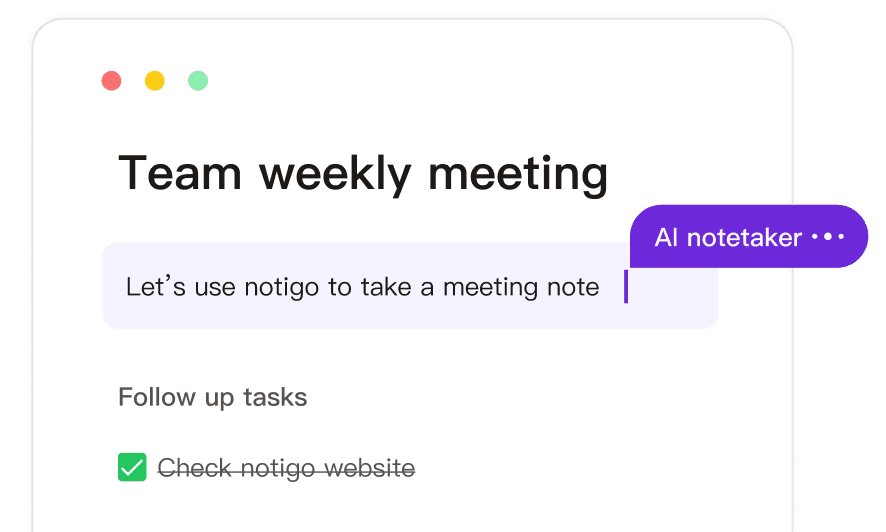
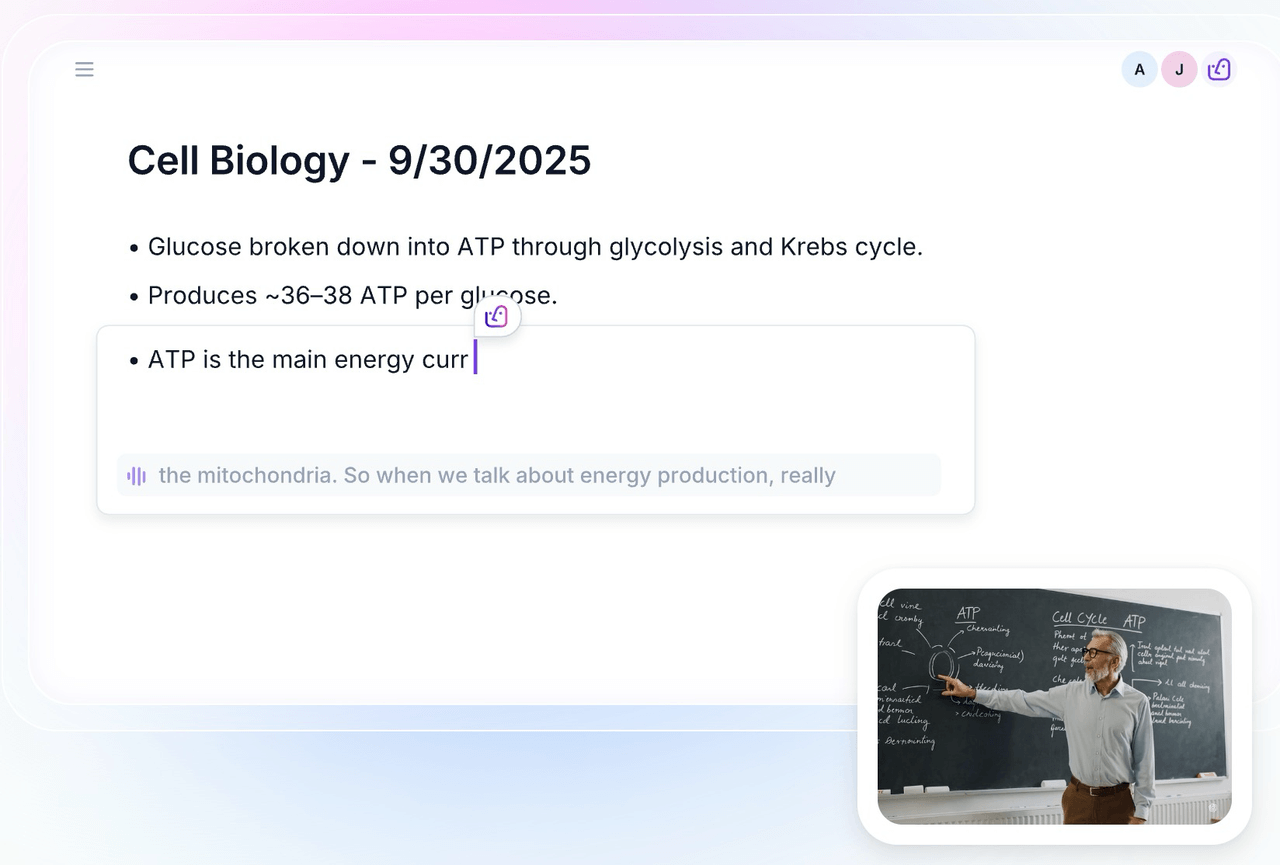
Notigo is built for students who want to record classes intelligently—not just get a dump of words. It listens in as your lecture unfolds, transcribing and structuring the content in real time. Instead of giving you a raw transcript, it recognizes when the topic shifts, when a definition is introduced, or when the lecturer moves from theory to example. The result feels less like a script and more like a set of smart, organized notes that follow the actual flow of teaching. You can watch these notes form live on your screen, edit them instantly, and add highlights or clarifications as you go.
What sets Notigo apart is how well it understands context. When a lecturer circles back to a concept from earlier or connects two ideas, Notigo doesn't just record—it adapts the structure so your notes make sense later. You can see clear headings, key takeaways, and timestamps without doing any manual cleanup. It's designed for the rhythm of academic lectures, not for corporate meetings, which makes a huge difference when you're recording classes across multiple subjects.
That makes Notigo the perfect solution if you're a student who wants to save time by recording classes, but actually want smart lecture notes that don't suck.
2. Otter.ai
Strengths:
- Reliable and well-known tool with real-time transcription capability.
- Good for general note-taking when recording classes, especially when you simply want a full text of what was said.
Weaknesses:
- Its design and feature-set are geared more toward business meetings than student lectures—so the structure of notes (when recording classes) often requires heavy editing afterward.
- Its main focus is on integration with meeting tools like Google Meet and Zoom. While it can record lectures with the built-in microphone, that is not its main feature.
- Notes tend to read like long transcripts instead of structured summaries you can quickly revisit.
- Pricing and tiers assume professional or team use—not all student budgets will feel comfortable at 9 dollars per month for just five hours of weekly recording (around 2-3 lectures per week).
I've spent a fair amount of time using Otter.ai for recording classes and reviewing my notes afterward, and while it delivers a solid transcription experience, the fit for student lecture capture is mixed. At its core, Otter.ai listens in, converts the spoken words into text, and pairs that with features like speaker identification and export options—so when you're recording classes you'll at least have a full transcript to work with.
That said, because it was built mainly for meetings rather than academic lectures, it doesn't really align perfectly with what students need. Although you can record live and access search and highlight tools, the resulting transcript often feels like "everything said" rather than "what you need to study." Accuracy hovers around 75-85% according to recent reviews, meaning you'll still spend time cleaning up especially if the lecture uses unfamiliar terms, multiple speakers, or a fast pace.
3. LectureNotes AI
Strengths:
- Like Notigo, it is designed for students rather than professionals.
- Simple setup—just start recording and wait for your results.
Weaknesses:
- Produces a single, uneditable paragraph rather than structured notes.
- No real-time capture—you only see results once the lecture ends.
- Extra "AI tutor" and video features add clutter without real value for class recording.
- More expensive than competitors at $10/month, roughly double the cost of Notigo.
I've used LectureNotes AI plenty of times before, and while it looks promising at first glance, it's a fairly simple tool once you get past the surface. It records your lecture, runs it through an AI summarizer, and spits out one big block of text at the end—a general overview of what was said. That might sound useful, but in practice, it means you don't actually see how your lecture is being processed while it's happening. There's no real-time feedback, so you won't know whether the AI caught that key definition or skipped half a slide until after class is over.
The biggest limitation is that the summary isn't editable. You can't easily break it into sections, fix inaccuracies, or highlight what matters most. For recording classes where detail and structure matter, that's frustrating. It's like receiving someone else's notes without any way to make them your own. And while the app markets itself as "built for students," it's loaded with side features—like a YouTube summarizer and built-in AI tutor—that make it feel more like a catch-all study platform than a focused note-taking tool.
4. Fireflies.ai / tl;dv
Strengths:
- High-quality transcription engine with broad platform support (Zoom, Teams, Google Meet etc.).
- Good for capturing all the spoken content when recording classes where multiple speakers or discussion dominate.
Weaknesses:
- Workflow assumes business-/meeting-context: invites, bot joins, calendar permissions—this makes it impossible to use a regular lecture hall or university class.
- Even if you are in a Zoom lecture, the notes tend to be long transcripts rather than well-structured lecture notes. When recording classes you may still spend significant time reorganizing. Exporting is also not easy.
- Some student-friendly features (e.g., mobile ease, simple export to flashcards) are inexistent.
- Pricing and tiers tend to expect enterprises—may be overkill (and expensive) for a single student wanting to record classes.
I've tried Fireflies.ai (and by extension its sibling tl;dv) in a few hybrid lecture-/seminar setups, and it delivers strong transcription and integration features—just not always in the ideal format for students who want to record classes in a clean, study-ready way. At its core the tool works like this: you schedule or invite the bot into your meeting (or lecture), it captures the audio (and sometimes video), then after the class it generates a full transcript, highlights, and often action-items or summaries.
For business meetings, this setup is slick: the bot joins automatically, you get the transcript, you link it to CRM or team tools. However, when you shift into a lecture context, a few complications appear. First, requiring a bot or calendar integration means you cannot use it in a lecture hall. You also need more set-up overhead. Secondly, the output tends to be oriented toward meetings: long transcripts, topics thrown together, lots of optional data like action-items or sentiment analysis that you might not need when recording classes. The structure is less tuned for students carving out definitions, formulas and concept builds.
5. Basic recording apps (Voice Memos, etc.)
Strengths:
- Completely free and universally available.
- No setup or technical know-how needed.
- Reliable backup when other tools fail.
Weaknesses:
- Produces long, unstructured audio files with no AI assistance.
- Time-consuming to review or search through recordings.
- Offers no organization, highlights, or study-ready features.
Every student has used a basic recording app at some point—Voice Memos, Windows Recorder, or whatever comes preinstalled on their phone. They're the simplest way to record classes: open the app, hit record, and you're done. That simplicity is their biggest advantage. There's no setup, no subscription, and no risk of permissions or bots joining your class. For quick capture—say, when your laptop dies mid-lecture—they're a lifesaver.
But the trade-off becomes obvious the moment you try to study from them. These apps give you raw audio and nothing else. No AI summaries, no timestamps, no searchable text. If you want to find a specific part of the lecture—say, when your professor explained the key steps of glycolysis—you'll be dragging a timeline back and forth for minutes. Reviewing becomes inefficient, and it's easy to lose motivation when your study process starts with an hour of rewinding.
For recording classes that matter, these apps are best used as a backup, not a main solution. They capture everything, but they don't help you understand it. Pairing them with an AI transcription tool later can salvage some of that audio, but on their own, they're basically digital tape recorders.
Which One Should You Pick?
Choosing the right AI lecture recorder really depends on how you study—and how much effort you want to spend after class. If your goal is to stay present during lectures, actually listen, and still walk away with clean, usable notes, Notigo is the standout choice. It's designed to fix the two biggest student struggles: drifting focus during class and ending up with piles of unusable notes afterward. Because it records classes in real time, structuring your notes as the lecture unfolds, you can concentrate fully on understanding the material instead of worrying about missing key points. But if you do want to edit your notes, it really couldn't be simpler. After the lecture is over, everything already makes sense—organized, timestamped, and ready for review or flashcards.
If you prefer a tool that simply captures everything word-for-word without worrying about structure, Otter.ai or even a basic recording app will do fine. Otter is excellent at what it promises—recording classes accurately and giving you a searchable transcript—but it doesn't understand how lectures are organized. You'll still need to go back through, clean it up, and pull out the key concepts yourself. It's best suited for students who like full control: those who don't mind doing some editing afterward, or who use transcripts as reference material rather than primary notes.
LectureNotes AI, on the other hand, takes the opposite approach. It tries to make things easier by automatically summarizing your lecture for you—but in practice, that simplicity can backfire. Because it waits until the end of the lecture to generate one big summary, you don't know what it's capturing in the moment, and you can't correct or refine it as you go. The lack of editability also means you're stuck with whatever version the AI produces, even if it glosses over key details. It's more of a "black box" experience—convenient on the surface, but not great for accuracy or deep studying.
In contrast, if your goal is not just to collect information but to actually learn from your lectures, Notigo stands apart in 2025. It bridges the gap between passive recording and active comprehension. You listen, it records smartly, and you end up with study-ready material that helps you retain what you learned—without extra effort. For most students, that combination of focus, clarity, and affordability is exactly what makes Notigo the clear winner.
Final Thoughts
The future of lecture note-taking isn't about writing faster or recording longer—it's about learning smarter. The real value of an AI lecture recorder lies in how well it helps you understand what you've just heard. A good tool doesn't just capture speech; it translates the flow of a lecture into a format that makes sense when you revisit it later. The difference between a wall of words and a well-structured summary can decide whether you actually study your notes or abandon them after one glance.
Most tools today fall somewhere on a spectrum: Otter.ai gives you exhaustive transcripts that demand heavy cleanup, while LectureNotes AI tries to summarize but often oversimplifies. Notigo takes the middle path—recording classes in real time while organizing ideas as they're spoken, so you end up with something that's both complete and easy to digest. Instead of forcing you to choose between accuracy and clarity, it delivers both.
That's why, for me, pairing Notigo with flashcard tools like Anki or RemNote has quietly solved the study problem so many students struggle with. Here's what it looks like in practice:
- I stay fully engaged during class, because I'm not busy typing everything.
- I finish the lecture with structured, readable notes—already separated into topics and definitions.
- I convert those sections into flashcards within minutes, turning passive notes into active recall practice.
And all of that costs $4.99/month, compared to $10/month for LectureNotes AI. It's not just cheaper—it's designed with students in mind, not enterprise teams. That price difference might sound small, but over a semester, it's the cost of several lunches—or an entire study resource you didn't have to pay extra for.
In 2025, the smartest way to record classes isn't about who has the most AI features—it's about who understands how students actually learn. The best AI lecture recorder doesn't just help you take notes; it helps you remember them. That's the future of studying: focused learning in the moment, and effortless recall afterward.