




AI note-taking apps promise to revolutionize how we capture information. Just hit record, they say, and walk away with perfect notes. For business professionals in back-to-back Zoom meetings, that promise often delivers. But for students trying to record lectures and actually learn the material? The reality is far more complicated.
I recently tested Fireflies.ai—one of the most popular AI meeting assistants on the market—to see how well it works for students who need to record lectures. On paper, it sounded perfect: automatic transcription, AI-generated summaries, and seamless integration with productivity tools. In practice, I encountered mandatory calendar access, predatory free trial tactics, and a fundamental design that assumes you're in corporate meetings rather than university classrooms.
Fireflies.ai is a powerful tool. There's no question about that. But it was built for boardrooms, not lecture halls. The difference matters more than you might think. While professionals benefit from features like conversation analytics and CRM integrations, students need something entirely different: the ability to record lectures in person, generate study-ready notes in real time, and integrate those notes into effective learning workflows.
In this comparison, I'll walk you through exactly what happens when you try to use Fireflies as a student—from the invasive onboarding process to the meeting bot that can't help you in physical classrooms. Then I'll show you why Notigo takes a fundamentally different approach, one that's actually designed around how students learn. If you're looking for the best AI note taker for students or trying to figure out how to record lectures effectively in 2025, this guide will help you make the right choice.
Why Students Record Lectures in 2025
Walk into any university lecture hall today and you'll see dozens of students with recording apps open on their laptops. In today's information-dense academic enviornment, it's often necessary to come up with creative solutions to studying.
Modern lectures pack an enormous amount of content into short timeframes. Professors reference studies, work through complex examples, clarify confusing concepts, and answer questions—all while students frantically try to write everything down. The problem is that your brain can't transcribe and understand simultaneously. Research on working memory shows we can only hold about 3-5 items in our conscious attention at once. When you're focused on getting every word down, you're not actually processing what those words mean.
This is where lecture recording tools have become essential for effective studying. Instead of choosing between listening and writing, you can stay present during class and capture everything for review later. But here's what separates a good recording tool from a useless one: what happens after you hit stop.
Raw audio files don't help you study. Hour-long transcripts don't help you study. What helps is having organized, structured notes that capture the key concepts, definitions, and examples in a format you can actually learn from. The best apps for recording lectures understand this distinction—they turn spoken lectures into study materials, not just text dumps.
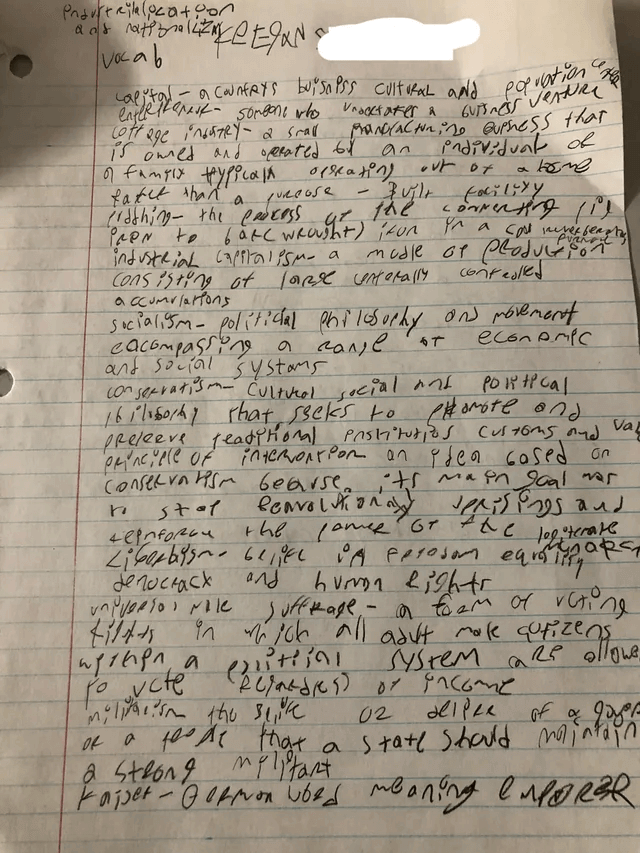
My lecture notes from a psychology lecture. 😅
For students using evidence-based study techniques, this recording step is just the beginning of an effective workflow. As we covered in our guide on how to study for exams, learning happens through active recall, spaced repetition, and elaboration. Recording lectures gives you the raw material, but you still need to process that material into flashcards, practice problems, and study guides. The right lecture recorder makes that processing step easier; the wrong one makes it harder.
That's the context we need to understand when comparing Fireflies and Notigo. Both tools record and transcribe. But only one understands what students actually need to do with those recordings afterward.
The Onboarding Experience: Red Flags From the Start
Before you can even test whether Fireflies works for your needs as a student, you have to get through the onboarding process. This is where the first major red flags appear—signals that Fireflies views you as a potential enterprise customer to convert rather than a student trying to solve a practical problem.
Calendar Access: A Non-Negotiable Privacy Concern
The moment you sign up for Fireflies, you hit an immediate roadblock: you cannot use the product without granting full calendar access. There's no "skip this step" button, no "I'll add meetings manually" option. The app forces you to connect your Google Calendar, Microsoft Outlook, or another calendar service before you can proceed.
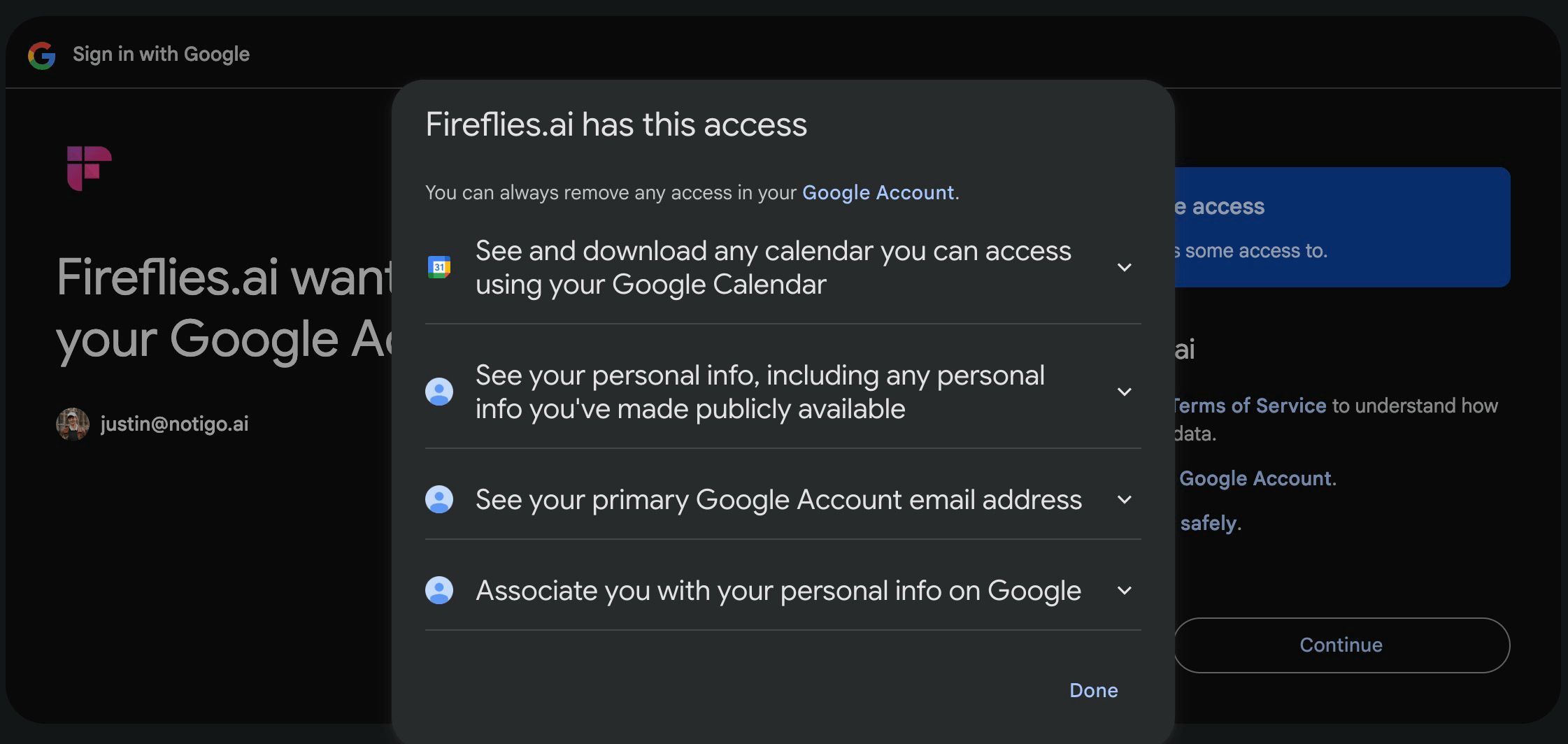
Fireflies needs calendar access to work in the first place. If you don't want a private company to know about what you're doing 24/7, then Fireflies.ai is not for you.
For students, this is a massive privacy concern. Your calendar contains far more than just your lecture schedule. It has personal appointments, study sessions with friends, club meetings, doctor visits, and everything else in your life. Fireflies doesn't just want access to see when your classes are—it wants permission to read, modify, and interact with your entire calendar.
Why does it need this? Because the whole system is built around automatically detecting meetings on your calendar and joining them via the bot. From a business perspective, this automation makes sense. From a student privacy perspective, it's invasive and unnecessary.
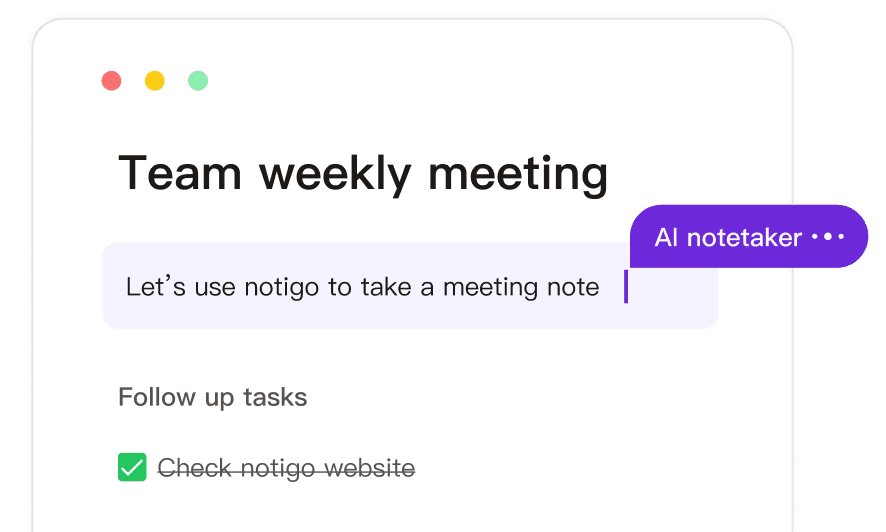
Compare this to Notigo's approach: zero permissions required. You open the website in your browser and start recording. No calendar access, no email verification, no personal data handed over before you can even try the product. Notigo trusts you to decide when and what to record rather than automating access to your entire schedule.
The "Free Transcript" Trap
Once you reluctantly grant calendar access (because you have no choice), Fireflies shows you a setup screen that seems generous at first glance. There's a big toggle switch that says "Enable unlimited free transcripts." Sounds great, right? Free transcripts for all your lectures?
Look closer. Enabling this feature means two things:
First, Fireflies will automatically join all meetings on your calendar. Not just the ones you manually select—all of them. That random Google Meet link for your group project? Fireflies joins it. That office hours appointment with your professor? Fireflies joins it. That virtual coffee chat with a friend? Fireflies joins it. You lose control over what gets recorded and when.
Second, and worse: Fireflies will automatically send meeting recaps to everyone on the invite list. Imagine your professor receiving an AI-generated summary email after every lecture, courtesy of your note-taking app. Imagine your classmates getting spammed with transcripts they didn't ask for. This isn't just annoying—it's potentially embarrassing and could violate your university's recording policies.
This "unlimited free transcripts" offer is essentially a viral marketing tactic disguised as a student benefit. Fireflies is using your calendar and contact list to promote itself to everyone you interact with. For students who just want to record lectures privately and take better notes, this is completely backward.
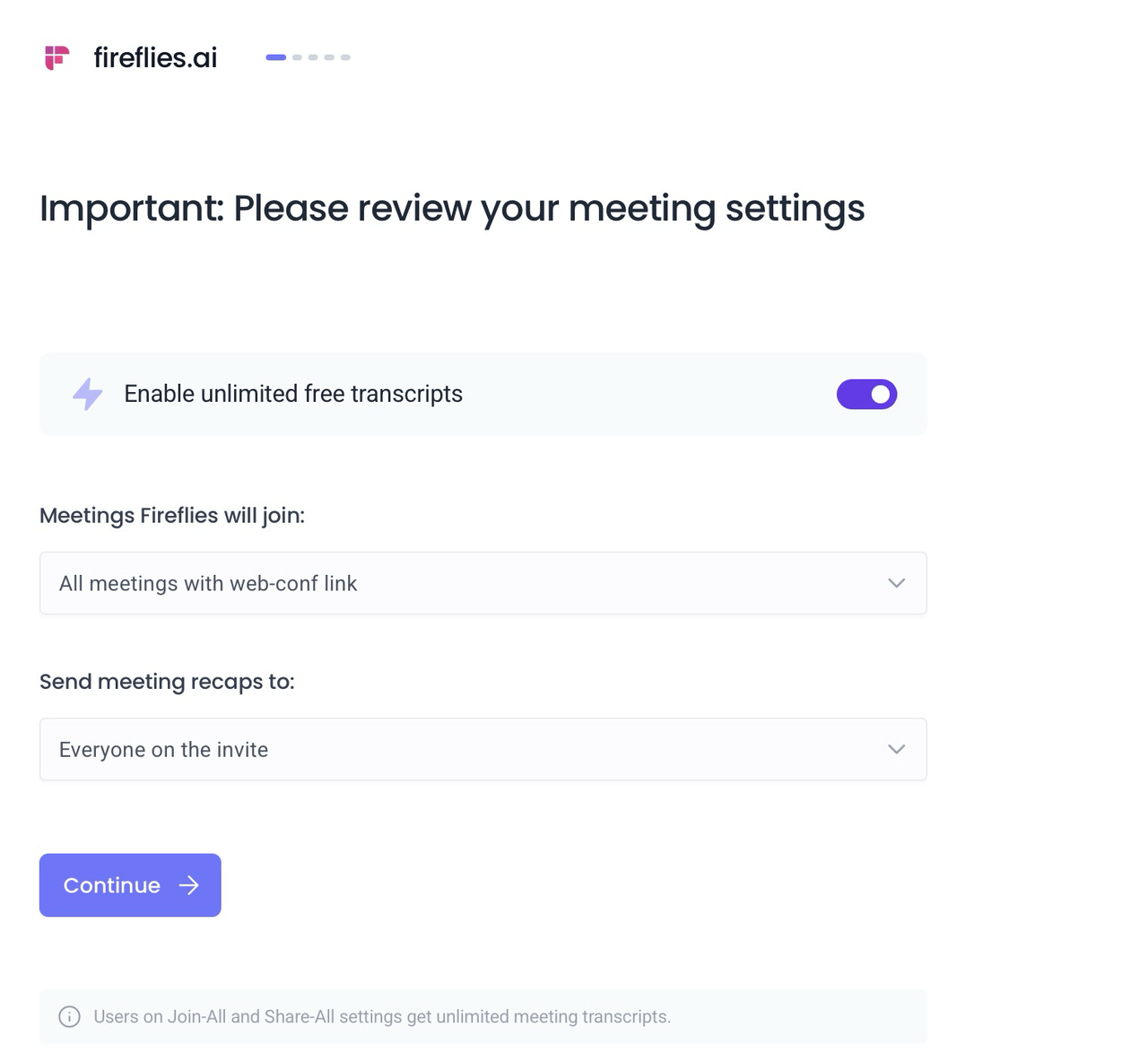
If you just press "continue", Fireflies will be there—in every meeting, messaging all your colleagues. Great.
The Credit Card Wall
Navigate through the setup questions—which feel more like a sales qualification survey than product onboarding—and you land on a screen that says "Start your 7 days free trial." It lists all the premium features you'll get access to: unlimited transcription, AI notes, conversation intelligence, analytics.
Here's the catch: you must enter credit card information to start this trial. There's a tiny "Skip" link in the upper right corner that's easy to miss if you're not actively looking for it. The dark pattern is clear—Fireflies wants you to forget about the trial period and automatically convert to a paid subscription. For students on tight budgets who might not notice when the trial ends, this is a financial trap.
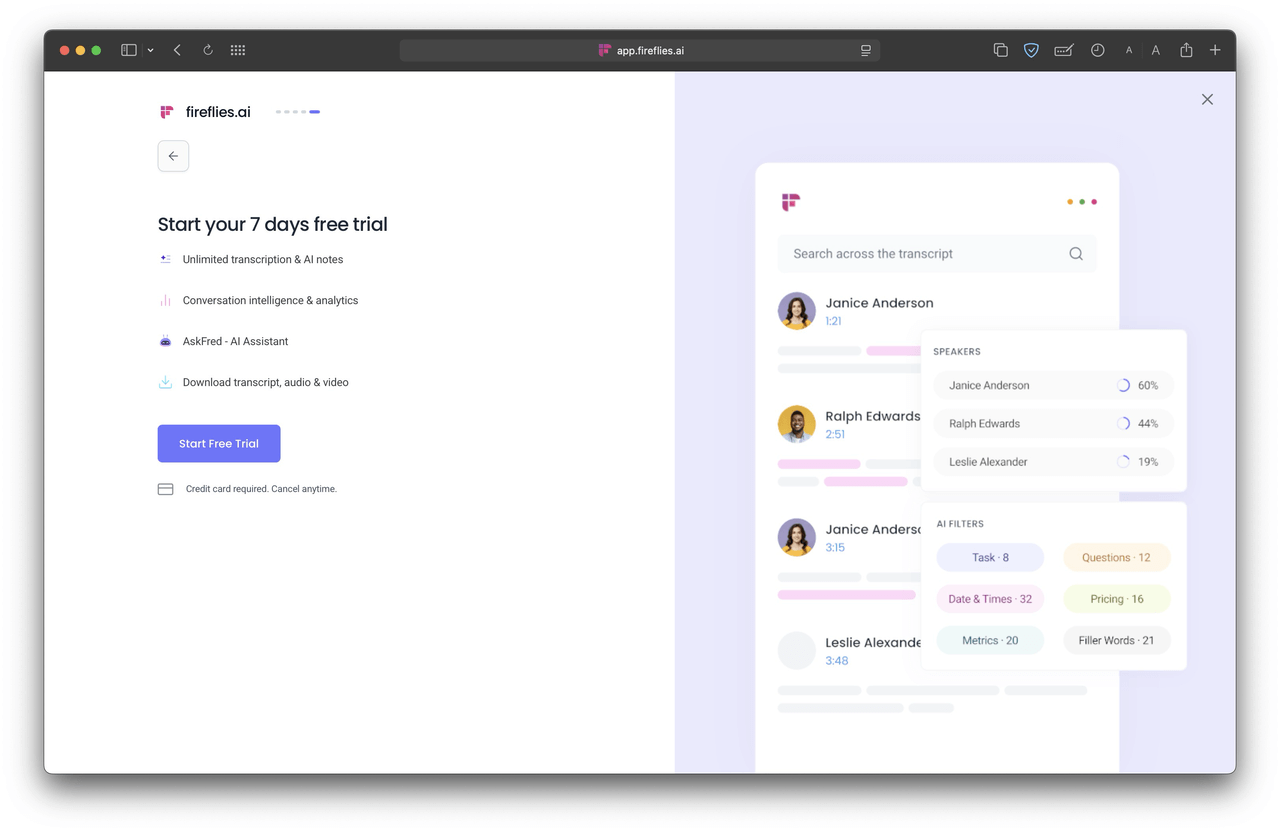
Fireflies wants to make you start a 7-day trial and provide your payment information, which you can skip—only if you are very observant.
The experience feels predatory. You're forced to hand over calendar access, tricked into potentially spamming your contacts, and pushed toward entering payment info before you've even used the product. These aren't the decisions of a company that understands or respects student users—they're conversion optimization tactics borrowed from enterprise SaaS playbooks.
Contrast this with Notigo's onboarding: you open the site, click start, and you're recording within seconds. No permissions, no payment info, no dark patterns. Just a simple tool that does what it promises. For more on how different AI lecture recorders handle the student experience, see our comprehensive ranking of best AI lecture recorders for recording classes.
The Interface: Clean, But Not Student-Friendly
To Fireflies' credit, once you get past the onboarding gauntlet, the interface itself is relatively polished. It's certainly cleaner and more professional than some competitors like Notta.ai, which we covered in our Notta vs Notigo comparison. There are no obvious grammar mistakes, no weird upsell banners cluttering every screen, and the design follows modern UI conventions.
But "not broken" doesn't mean "designed for students." The dashboard assumes you're managing a calendar full of scheduled meetings. The main navigation includes sections like "Meeting Status," "Team," and "Analytics"—features that make sense for business users tracking conversation metrics and team performance. For a student who just wants to record a lecture and review notes afterward, this complexity adds friction rather than value.
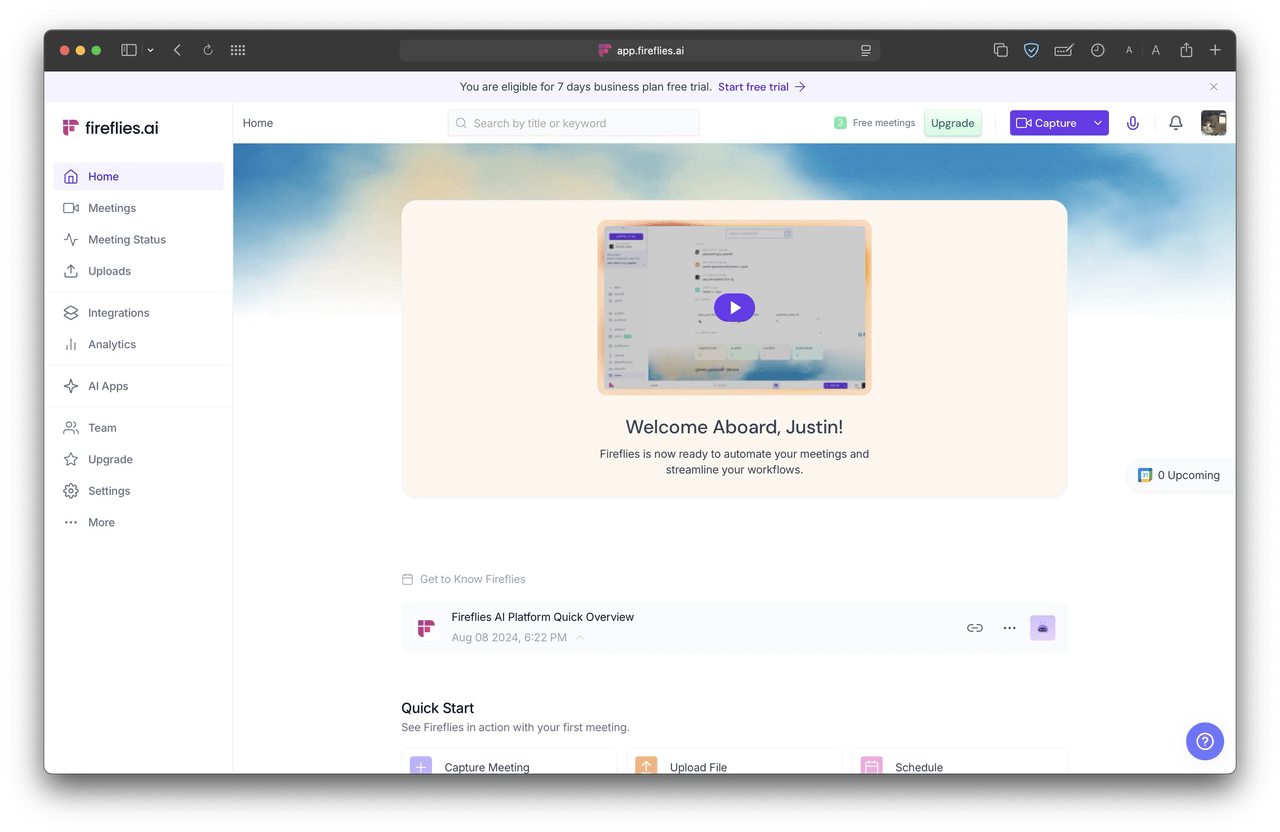
Fireflies' UI shows: It is clearly designed for enterprise use, not students.
The workflow assumes you'll either let Fireflies auto-join meetings from your calendar or manually invite the bot to specific calls. There's no straightforward "I'm sitting in a lecture hall right now, start recording" option. The closest you can get is using the desktop or mobile app to record audio locally, but that feature feels like an afterthought compared to the core meeting bot functionality.
Navigation takes time to figure out. Where do you start a new recording? How do you access past transcripts? How do you edit or highlight important sections? The answers exist, but they're not immediately obvious. For students who need to quickly start recording when the professor begins speaking, any friction is too much friction.
Notigo's interface, by contrast, is ruthlessly simple. You see a recording button and your notes. That's it. No extra menus to navigate, no features you don't need, no enterprise terminology to decode. When you're trying to capture information in the moment—which is the core use case for lecture recording—simplicity beats sophistication every time.
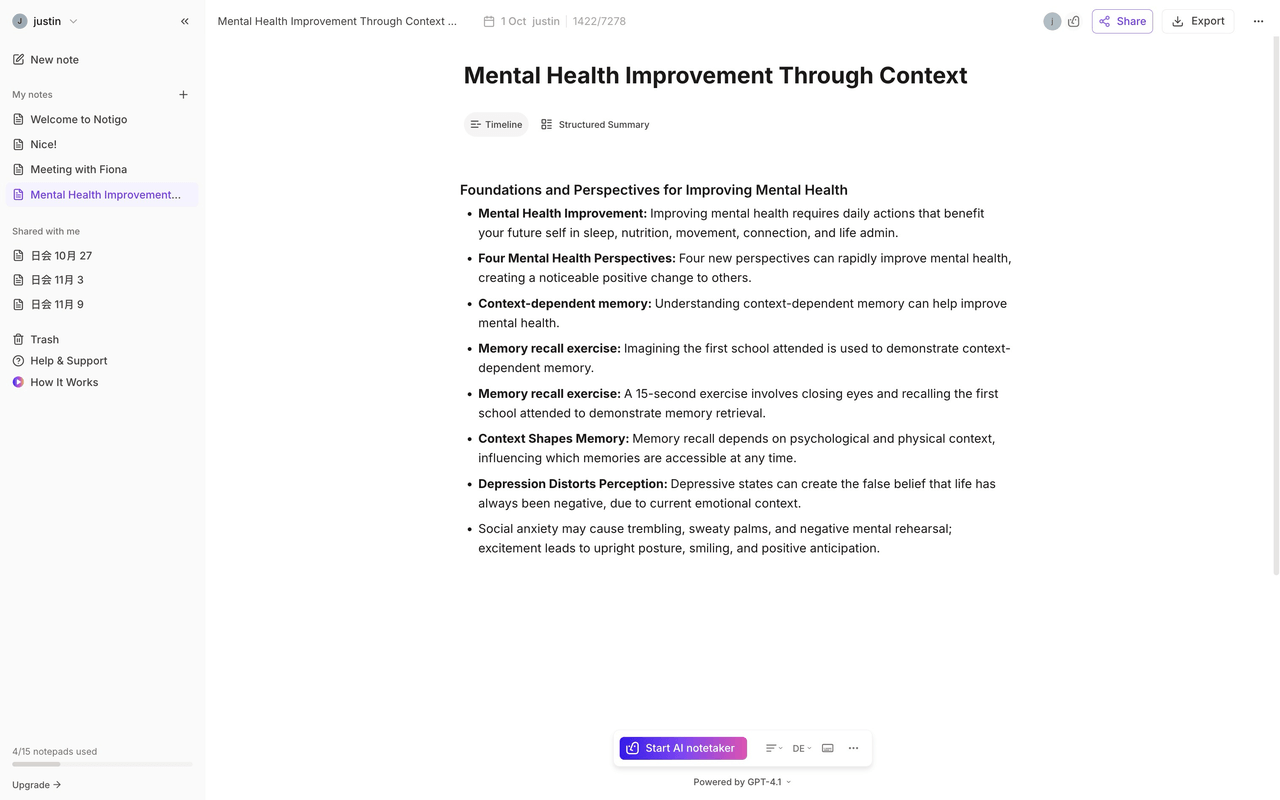
The real test of any interface is whether it helps or hinders your actual workflow. For business users coordinating team meetings and analyzing conversation patterns, Fireflies' feature-rich interface makes sense. For students who want to record classes and then transform those recordings into study materials, the interface introduces unnecessary complexity. And as we discussed in our guide on best productivity apps for students, the best student tools are the ones that get out of your way and let you focus on learning.
The Free Plan: Not Actually Usable for Students
Even if you navigate past the dark patterns and decide to try Fireflies on the free plan, you immediately hit another wall: you only get three free meetings before the app forces you to upgrade.
Let's put this in perspective for a typical student schedule. You probably have four to five classes per week, maybe more. If you're taking lectures seriously and want to record them all for review, you'll burn through your three free meetings in less than a week. By day three or four of the semester, Fireflies becomes completely useless unless you pay.
This restriction wouldn't be so frustrating if Fireflies positioned itself as a premium tool from the start. But the marketing heavily implies you can use it for free, and the onboarding pushes you to connect your calendar and enable "unlimited free transcripts." The reality is those transcripts aren't unlimited at all—you get three, and then you hit a paywall.
Compare this to other note-taking tools we've tested. Notta, for example, limits you to three minutes of transcription—also terrible for students, but at least it's honest about the restriction upfront. Fireflies lets you think you have a viable free option, then pulls the rug out after just three uses.
For students who are trying to build sustainable study systems—as we outline in our ultimate guide to studying for exams—three free recordings isn't a trial, it's a tease. You need time to integrate a tool into your actual workflow, test it across different subjects, and see whether it helps with the later stages of studying (creating flashcards, reviewing notes, identifying gaps in understanding). A three-meeting cap prevents any of that meaningful evaluation.
Pricing: Enterprise Rates for Student Needs
When you inevitably hit the free plan limits and look at upgrading, the pricing structure confirms what the rest of the experience already suggested: Fireflies isn't built for students.
The Pro plan costs $10 per user per month when billed annually, or $18 per month if you pay monthly. The Business plan—marked as "most popular"—runs $19 per user per month annually, or $29 monthly. For students on typical budgets, these prices are hard to justify, especially when you consider what you're actually paying for.
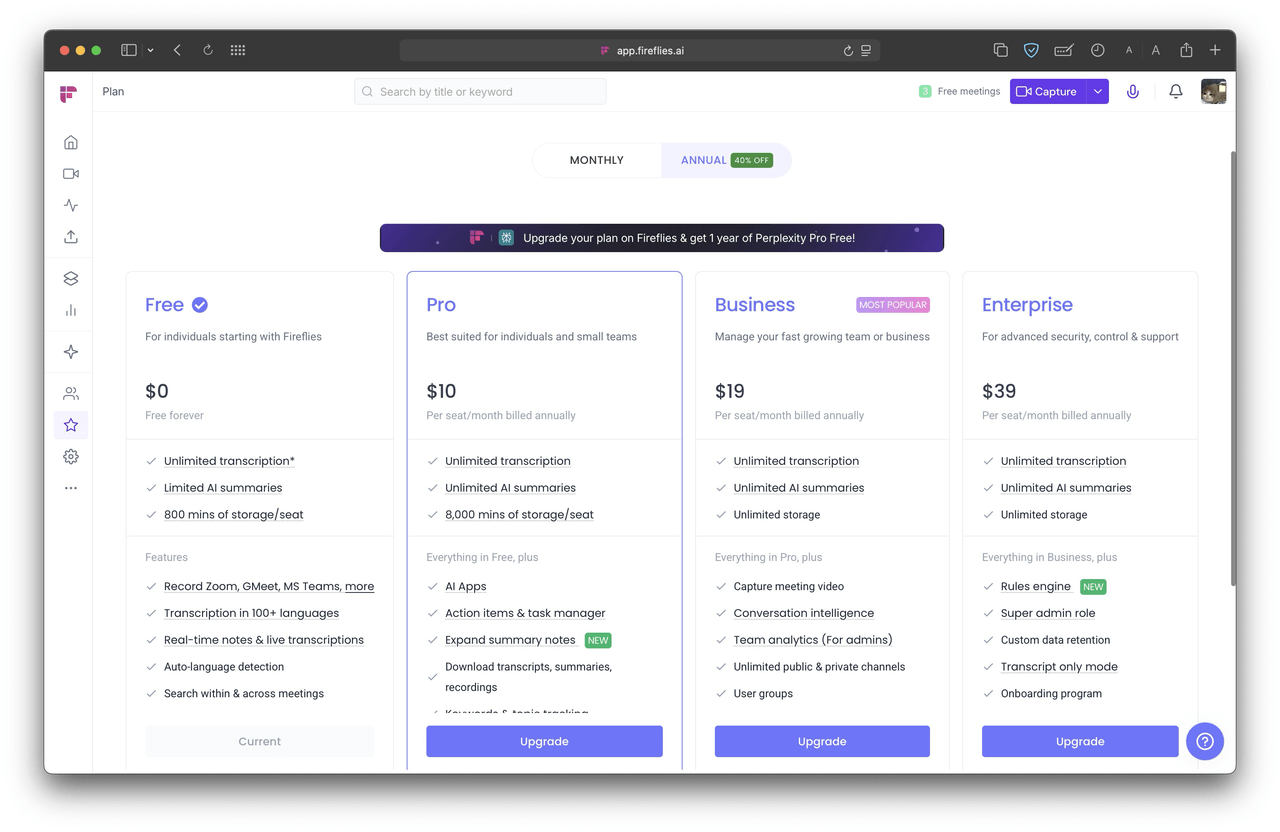
Fireflies' pricing: Not terribly expensive compared to other tools, but twice the price of Notigo's, and you're paying for enterprise features you might not actually need.
Let's break down what those plans include. Unlimited transcription and AI summaries—good, that's table stakes for any note-taking tool. Conversation intelligence and analytics—not useful for lecture recordings where you're the only "participant" that matters. Team collaboration features—irrelevant unless you're working on group projects, and even then, there are simpler ways to share notes. Integration with Salesforce, HubSpot, and Slack—completely useless for academic work.
You're paying enterprise SaaS prices for enterprise features that don't help you study. The core functionality you need as a student—accurate transcription of lectures and study-ready notes—represents maybe 20% of what Fireflies offers. The other 80% is business-focused bloat that adds cost without adding value for academic use cases.
Compare this to Notigo's pricing: $4.90 per month on a monthly plan, or $4.17 per month if you pay annually (which comes out to about $50 per year). That's less than half what Fireflies charges, and the feature set is specifically tailored to student needs. You're not subsidizing CRM integrations or team analytics—you're paying for a tool that helps you record lectures and generate notes you can actually study from.
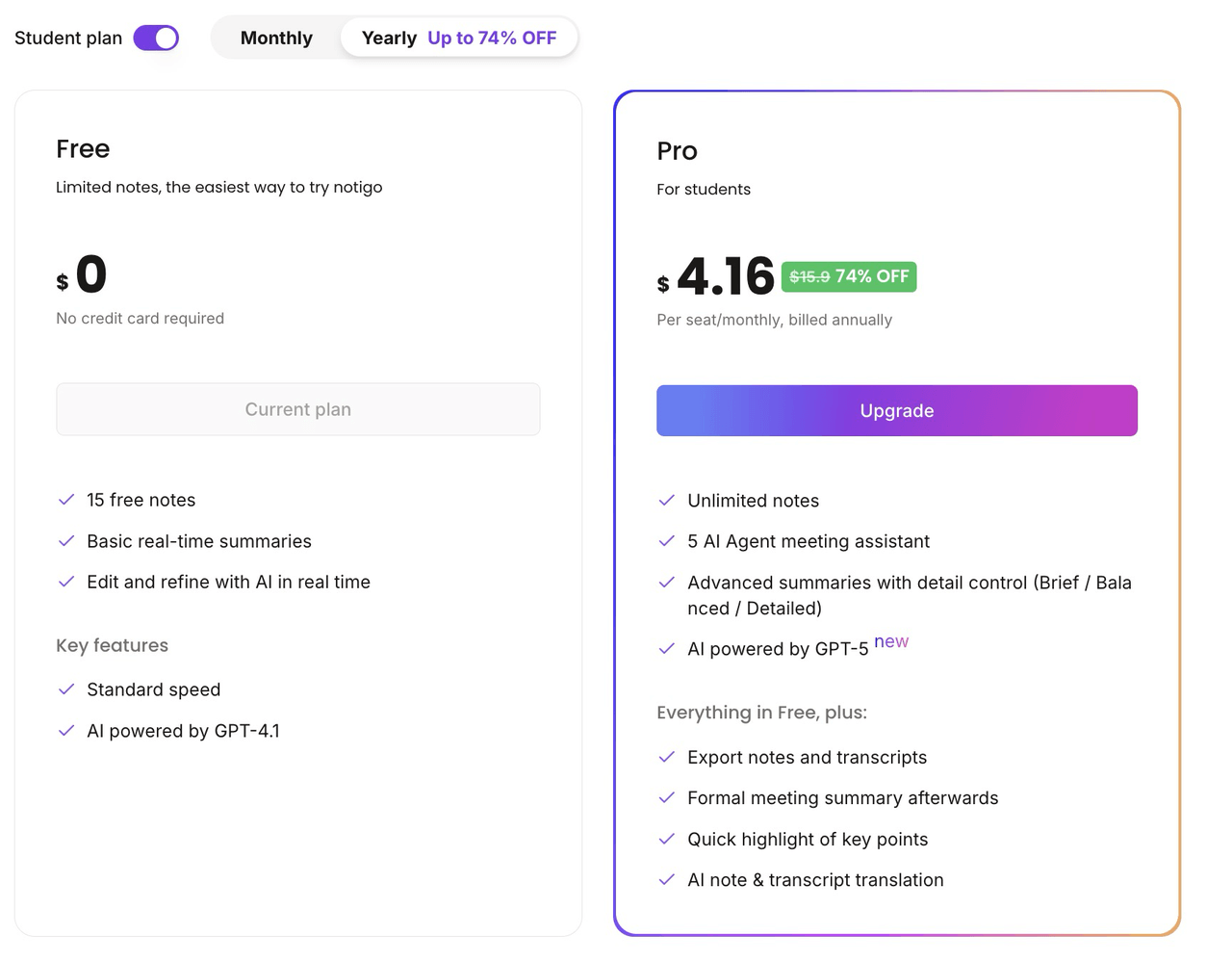
Over an academic year, the difference is significant. Fireflies Pro costs $120-216 annually depending on your billing choice. Fireflies Business costs $228-348. Notigo costs $50-59. That's an extra $70-300 per year that could go toward textbooks, or food, or literally anything more useful than conversation analytics you'll never use.
The pricing structure reveals priorities. Fireflies is optimized for selling to businesses that can expense the cost and value features like compliance, team management, and productivity metrics. Students are an afterthought—technically able to use the product, but clearly not the target user. If you were designing an AI note taker specifically for students from the ground up, you'd price it like Notigo, not like Fireflies.
The Fundamental Problem: Fireflies Wasn't Built for Classrooms
Here's the core issue with Fireflies for students: it operates through a meeting bot called "Fred" that joins your Zoom, Google Meet, or Microsoft Teams calls. This works brilliantly for professionals who live in virtual meetings. For students trying to record lectures? It's a fundamental mismatch.
Think about how most university lectures actually happen. You're sitting in a physical lecture hall. The professor is at the front. You open your laptop to take notes. This is where Fireflies completely breaks down—there's no Zoom call for Fred to join. The meeting bot model assumes you're always in a virtual meeting with a link and calendar invite. But most lectures don't work that way.
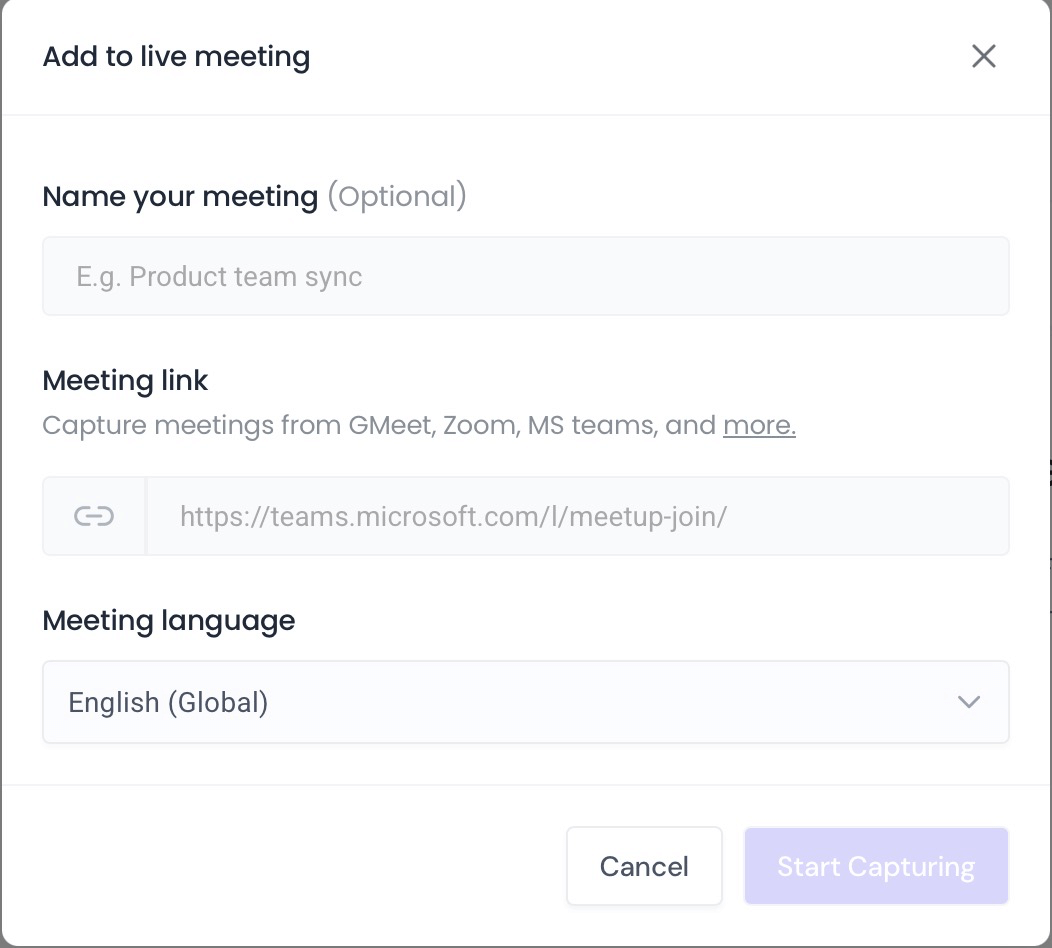
With Fireflies, you cannot record a meeting and get a transcript. Instead, you invite a meeting bot to join a zoom call.
Even in the post-COVID era, where some universities have hybrid options, the typical student experience is in-person learning. You might have one or two online classes, but the majority of your education happens face-to-face. A tool that only works for recording online meetings is functionally useless for capturing the bulk of your coursework.
The contrast with Notigo is stark. Because Notigo works directly in your browser without requiring bots or meeting links, you can use it anywhere. Sitting in a chemistry lecture? Open Notigo, hit record, and it captures audio through your device's microphone while generating structured notes in real time. Watching a recorded lecture video at home? Same thing. Notigo meets students where they actually are, not where a corporate workflow assumes they should be.
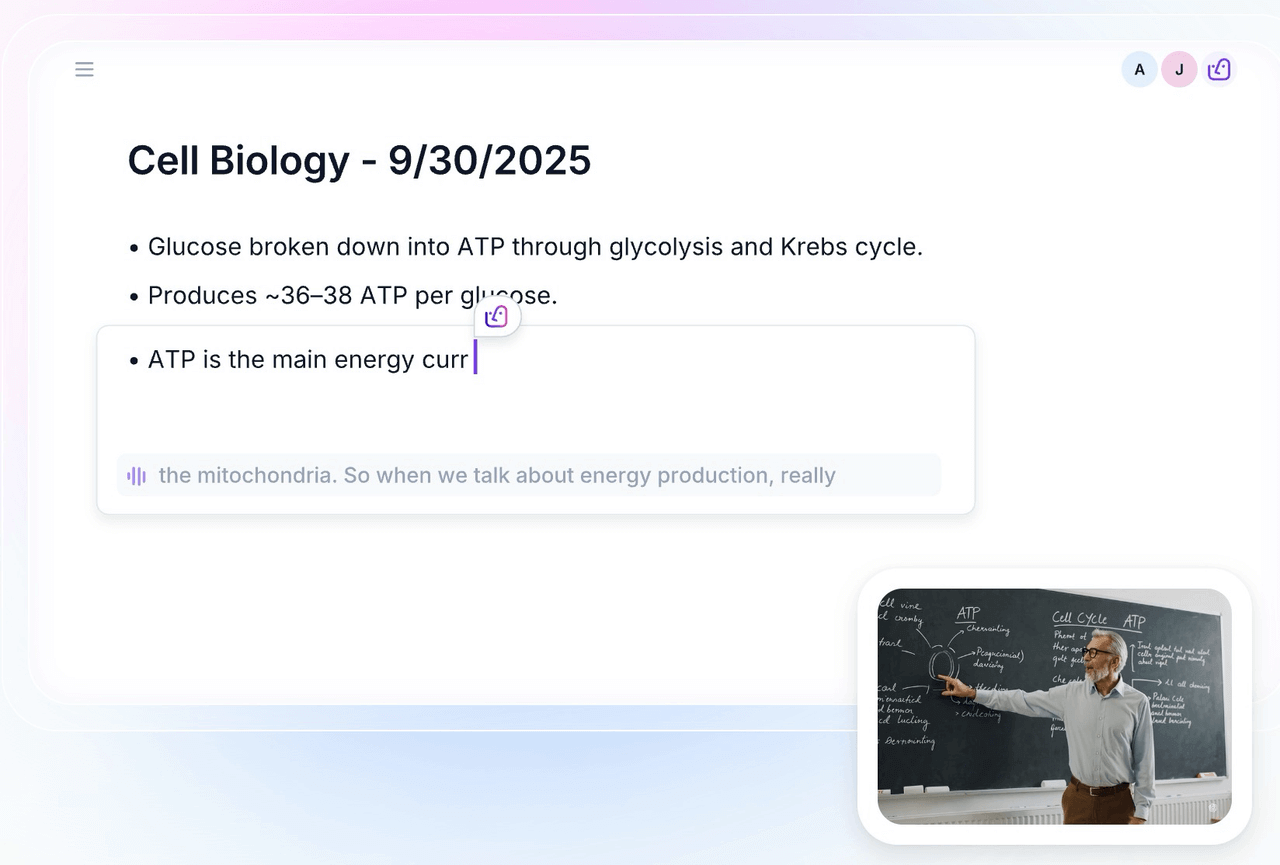
Notigo helps you take lecture notes in real-time—without the meeting bot.
This is a fundamental design philosophy. Fireflies optimized for the business use case: scheduled meetings, multiple speakers, action items, and team collaboration. Those priorities led to architectural decisions (meeting bots, calendar integration, speaker identification) that make perfect sense for professionals but create friction for students who just need to record classes and study effectively.
For a deeper look at why recording lectures matters and what makes a good lecture recording workflow, check out our article on the best way to record lectures for students. The key insight is that the best apps for recording lectures prioritize audio clarity, contextual understanding, and study-ready output over enterprise features like CRM integrations and team analytics.
What Fireflies Does Well (And Why It Doesn't Matter for Students)
To be fair to Fireflies, there are genuinely impressive aspects of the product. The transcription quality is excellent—on par with Otter.ai and better than many competitors. Speaker identification works reliably when you have multiple people talking, which matters a lot in meetings where you need to track who said what. The search functionality lets you find specific moments in long recordings quickly. The integrations with productivity tools like Notion, Asana, and various CRMs are robust and well-implemented.
For business users, these features solve real problems. If you're a sales rep who needs to log conversation details in Salesforce, or a project manager extracting action items from status meetings, Fireflies excels. The conversation intelligence features—like tracking talk time, identifying key topics, and flagging questions—help teams analyze their communication patterns and improve meeting effectiveness.
The action items and task extraction work well when your recordings actually contain tasks and deliverables. Fireflies can automatically identify phrases like "I'll send you that report by Friday" or "Let's schedule a follow-up next week" and convert them into trackable to-dos. The team collaboration features let multiple people access the same meeting recording, add comments, and share insights.
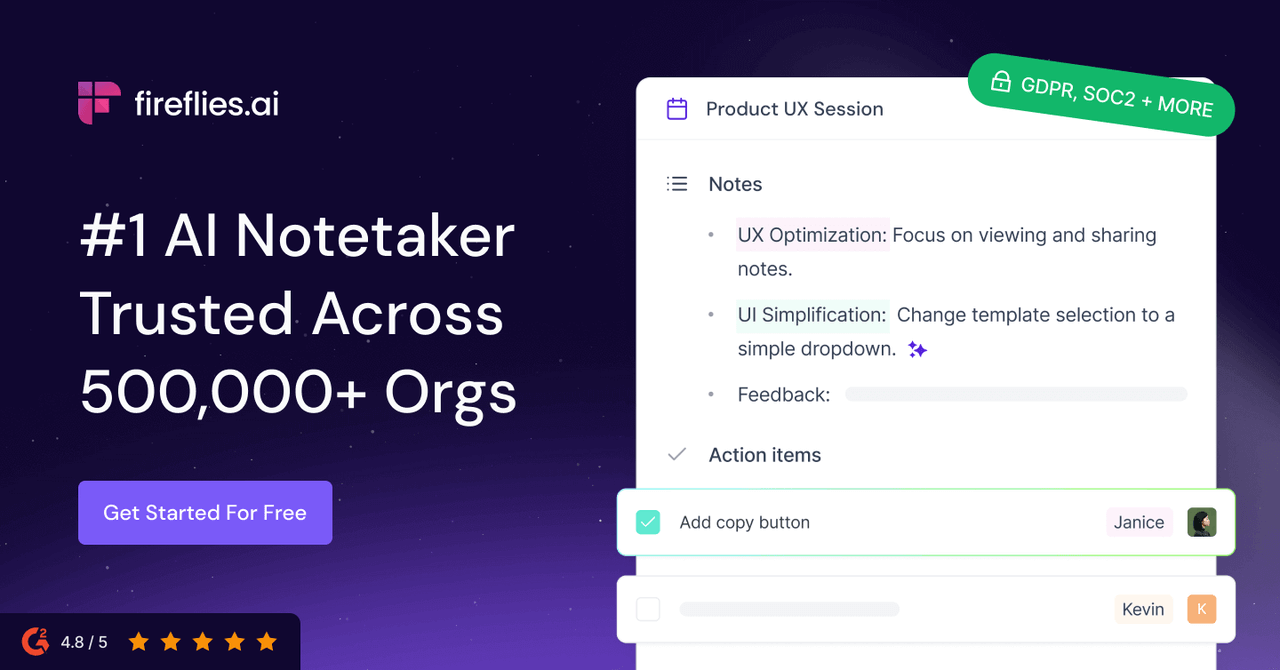
Fireflies seems great for business users. But for students, it's another story.
Here's the problem: none of this helps you study for exams.
When you record a lecture, you're not trying to extract action items or track who spoke for what percentage of time. You're not analyzing conversation patterns or logging details in a CRM. You're trying to capture information so you can learn it, understand it, and recall it when you need to. The workflow is fundamentally different.
As we explored in our comparison of best flashcard apps for students, effective studying requires specific tools that support active recall and spaced repetition. You need to transform lecture content into questions you can test yourself on, examples you can work through, and concepts you can connect to prior knowledge. Fireflies' meeting-focused features don't support any of these learning processes.
The speaker identification that works great in business meetings becomes a liability in lectures. Fireflies tries to distinguish between different speakers, but in a lecture hall, it's usually just the professor talking, maybe with occasional student questions. The AI wastes processing power trying to separate speakers when what you really need is topical organization—definitions, examples, explanations—not a speaker-by-speaker transcript.
The conversation analytics are similarly mismatched. Knowing that your professor spoke for 85% of the lecture isn't useful information. You don't need to track "questions asked" or "topics discussed" through business intelligence metrics. You need clear, structured notes organized by concept, not by speaker or time.
Even the integration ecosystem, while technically impressive, doesn't align with student workflows. The tools Fireflies integrates with—Salesforce, HubSpot, Zapier, Slack—are primarily business productivity platforms. Students need integrations with study tools like Anki, RemNote, Notion (for personal knowledge bases, not team wikis), and other apps that support learning rather than project management.
Fireflies is a genuinely good product at what it does. It's just doing the wrong thing for students. The features that make it powerful for business users are orthogonal to the features that would make it powerful for academic users. This isn't a minor gap that could be fixed with a few updates—it's a fundamental mismatch in user needs and product design.
Why the Meeting Bot Model Fails in Academic Settings
The clearest illustration of why Fireflies doesn't work for students comes down to its core mechanism: the meeting bot. Let's walk through three common student scenarios and see exactly where this approach breaks down.
Scenario 1: In-Person Lecture
You're sitting in an Introduction to Psychology lecture. Two hundred students in a tiered lecture hall. The professor is working through theories of memory and cognition—exactly the kind of dense, information-rich content you want to record for later review.
You open your laptop. You have Fireflies installed. Now what?
There's no Zoom link to give the bot. There's no meeting to join. Fred, the Fireflies meeting assistant, has nothing to connect to. The product literally cannot function in this scenario—which happens to be the most common lecture format in university education.
You could try using the mobile app or desktop recording feature, but those feel tacked-on compared to the core meeting bot functionality. And even if you get something recording, you're not getting the AI features that make Fireflies supposedly valuable—you're just getting a basic audio file.
Now imagine the same scenario with Notigo. You open your browser, click start, and the app immediately begins recording through your laptop's microphone. As the professor speaks, Notigo generates structured notes in real time—separating definitions from examples, organizing topics into clear sections. You can see your notes forming while you listen, and you can add your own annotations if something needs clarification.
This isn't a small edge case. In-person lectures remain the dominant format in higher education. A tool that can't handle the most common use case simply isn't viable for students.
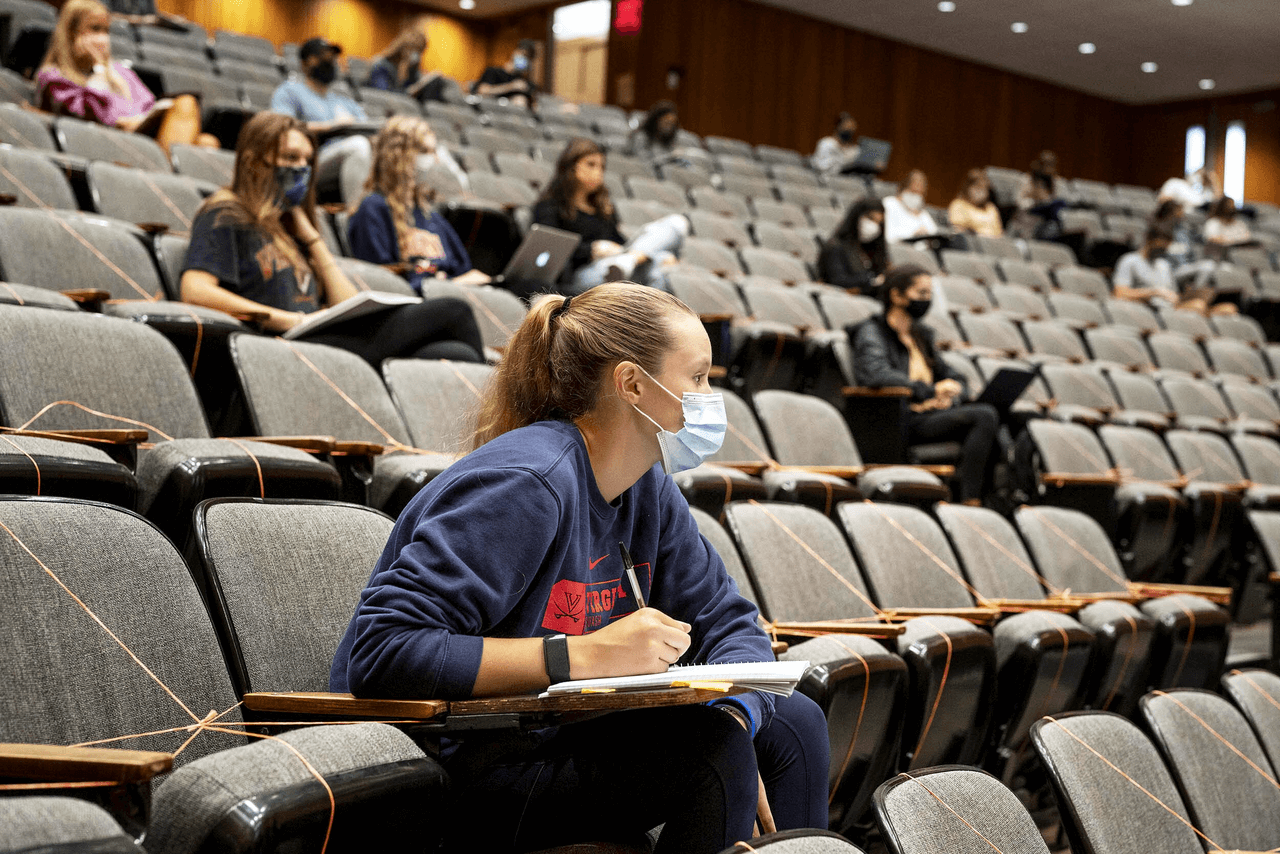
In an in-person lecture, Fireflies won't work, so you're stuck writing notes with pen and paper.
Scenario 2: Zoom Lecture
Okay, maybe you're in a hybrid or fully online class. The lecture happens over Zoom. This is Fireflies' home territory—surely it excels here, right?
Here's what actually happens: Fred, the Fireflies bot, joins your Zoom lecture as a visible participant. Your professor sees a bot icon in the participants list. If you're in a smaller class, this is immediately awkward. The professor might ask what it is, why it's there, whether you have permission to record. You have to explain that it's your note-taking AI assistant—which sounds like you're not paying attention or can't be bothered to take notes yourself.
Now imagine five or ten students in the class are using Fireflies. Suddenly there are five or ten bots cluttering the participants list. The professor's carefully planned online lecture now has more bots than some universities have IT staff. It's distracting, unprofessional, and potentially violates academic integrity policies depending on your institution's rules about recording.
Many professors, faced with this bot invasion, will simply disable third-party applications in their Zoom settings. Boom—Fireflies stops working for everyone, and you're back to square one.
There are also privacy and consent issues. When Fred joins a meeting, everyone in that meeting is being recorded, not just the professor. Student questions and comments get captured. In some jurisdictions and under some university policies, you may need consent from all participants to record—and the presence of a bot doesn't constitute clear consent.
Notigo handles Zoom lectures differently. You record locally on your device, just like taking notes in a document. No bot joins the call. No one else knows you're capturing notes unless you tell them. It's private, unobtrusive, and doesn't require any special permissions or create awkward dynamics with professors.
The bot model optimizes for corporate transparency—everyone knows the meeting is being recorded and can access the transcript later. But in academic settings, that transparency creates problems rather than solving them.
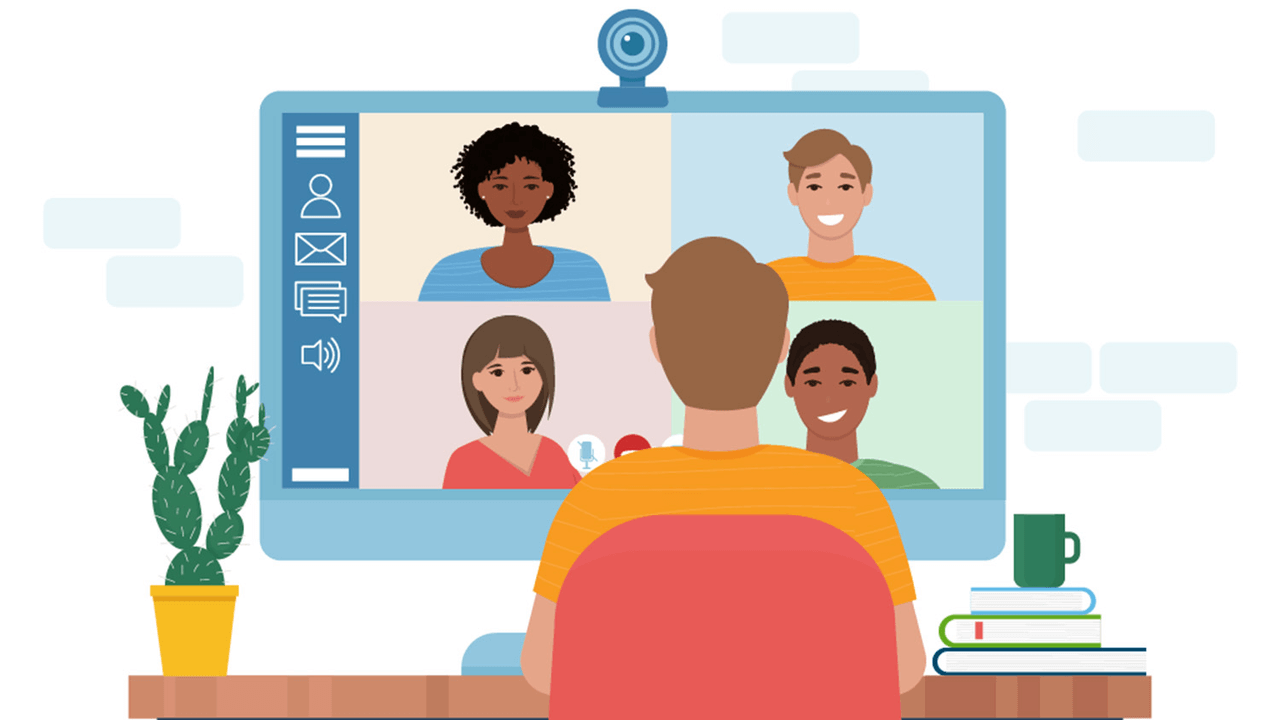
In a Zoom class, Fireflies can help - but it will join as a bot and freak out your professor.
Scenario 3: Recorded Lecture
Some professors post recorded lectures for asynchronous learning or review. You download the video or stream it from your LMS. This should be the easiest scenario—just a straightforward transcription job.
You upload the recording to Fireflies. It transcribes accurately—credit where it's due. But then it generates a summary, and that summary assumes you were in a business meeting. You get sections like "Overview," "Action Items," "Key Questions," and "Decisions Made." For a biology lecture on cellular respiration, these categories are nonsensical.
Fireflies tries to identify different speakers, but since it's a recording of a single professor teaching, the speaker identification adds no value and sometimes creates confusion when the professor changes tone or pace. The AI attempts to extract "meeting highlights" based on keywords and emphasis, but the highlights it chooses are random moments of vocal stress rather than actual pedagogically important concepts.
What you get is technically accurate transcription paired with completely context-blind summarization. You still have to read through everything and manually organize it into study notes because the AI summary isn't useful for learning.
Notigo, trained on lecture content rather than business meetings, handles this scenario better by design. When you upload a lecture recording, the AI recognizes it's educational content. It structures the summary around topics, definitions, examples, and explanations—the natural components of teaching. You get notes that mirror how you'd want to study the material, not how you'd want to track a project's status.
These three scenarios illustrate why architectural decisions matter. Fireflies made design choices that work beautifully for scheduled virtual meetings with multiple participants and clear action items. Those same choices create friction and failure modes in educational contexts. For more on what actually works when you're trying to record lectures, see our guide on why you should record your lectures and the best tools for doing it.
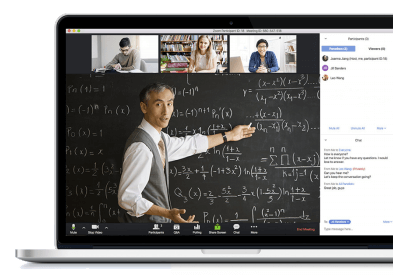
Even in a recorded lecture, Fireflies will only get you a meeting summary, not a lecture summary.
Head-to-Head Comparison Table
| Feature | Notigo | Fireflies.ai |
|---|---|---|
| Focus | ✅ Students & lectures | ❌ Business meetings |
| Works in physical classrooms | ✅ Yes, browser-based recording | ❌ No, requires meeting links |
| Meeting bot required | ✅ No bots | ❌ Yes ("Fred" joins calls) |
| Calendar access required | ✅ Zero permissions needed | ❌ Mandatory for setup |
| Free plan | ✅ Full-featured trial | ❌ Only 3 meetings |
| Onboarding | ✅ Instant, no signup required | ❌ Multiple steps, credit card push |
| Privacy | ✅ No storage, no bots, no tracking | ❌ Calendar access, auto-joining meetings |
| Real-time notes | ✅ Structured, lecture-aware | ❌ Transcript only during recording |
| AI summary quality | ✅ Understands lecture context | ❌ Meeting-style summaries |
| Note structure | ✅ Topics, definitions, examples | ❌ Speakers, time stamps, action items |
| Editable during recording | ✅ Yes, live editing | ❌ Limited annotation features |
| Best for studying | ✅ Exports to flashcard tools easily | ❌ Requires heavy post-processing |
| Pricing | ✅ $4.17-4.90/month | ❌ $10-19/month |
| Annual cost | ✅ $50-59 | ❌ $120-228 |
| Integration focus | ✅ Study tools (Anki, RemNote) | ❌ Business tools (Salesforce, HubSpot) |
| Best for | ✅ Students recording lectures | ❌ Professionals in virtual meetings |
Real Student Workflow: Where Fireflies Breaks Down
Understanding why Fireflies doesn't work for students requires understanding what students actually need from lecture recording tools. It's not just about capturing information—it's about transforming that information into knowledge you can actually use.
The Study System Students Actually Need
Effective studying follows a specific workflow that cognitive science research has validated over decades. We covered this extensively in our guide on how to study for exams, but here's the quick version:
Step 1: Capture - Get the information from lectures into an external system so your brain can focus on understanding rather than transcribing. This is where lecture recording happens.
Step 2: Process - Within 24 hours, transform the raw captured information into active learning materials. This means creating flashcards, writing summary questions, generating examples, and connecting new concepts to prior knowledge. Processing is where passive recordings become useful study tools.
Step 3: Review - Use spaced repetition systems to review the processed materials at strategic intervals. This is where long-term learning happens—through active recall and repeated retrieval practice.
This capture → process → review workflow is how students who study effectively actually operate. It's based on the three pillars of learning: active recall, spaced repetition, and elaboration. Any tool that claims to help students record lectures needs to support this entire workflow, not just the capture phase.
How Notigo Fits This Workflow
Notigo was designed specifically with this workflow in mind:
Capture: During the lecture, Notigo records audio and generates structured notes in real time. You can see concepts, definitions, and examples appearing as the professor speaks. This means you're not just capturing raw audio—you're already getting organized notes that will be easier to process later.
Process: After the lecture, you review Notigo's AI-generated summary alongside your own annotations. The notes are already structured by topic, which makes it easy to identify the key concepts you need to learn. You can quickly transform these organized notes into flashcards using tools like Anki or RemNote. Since the notes are clean and topically organized, the processing step takes 20-30 minutes instead of hours.
Review: Once your flashcards are created (either manually or through integration with spaced repetition apps), you follow your review schedule. Notigo gets out of the way at this stage—it's already served its purpose of helping you capture and process efficiently. You're now working with study materials optimized for long-term retention.
This integrated workflow is why Notigo actually helps students learn, not just record. The tool supports every stage of effective studying, from the initial capture through the final review.
How Fireflies Disrupts This Workflow
Fireflies doesn't just fail to support this workflow—it actively makes it harder:
Capture: As we've covered, Fireflies often can't capture at all if you're in a physical lecture hall. Even when it can (recorded lectures, Zoom classes), you only get a running transcript, not structured notes. You can't see information organizing itself as it's captured, which means you lose the real-time benefit of knowing what's important.
Process: This is where Fireflies really breaks down for students. After the lecture, you have a long transcript and a meeting-style summary that talks about "action items" and "key decisions." You need to manually read through everything, identify the actual concepts that matter, organize them topically, and transform them into study materials.
This processing step becomes the bottleneck. Instead of spending 30 minutes turning organized notes into flashcards, you spend an hour or more just trying to make sense of the transcript and figure out what's worth studying. The AI summary doesn't help because it's optimized for meeting recaps, not learning.
Review: By the time you've wrestled the Fireflies transcript into usable study materials, you've burned so much time and energy that the tool feels more like a hindrance than a help. You might as well have just taken notes manually during the lecture—at least then you'd have engaged with the material while it was fresh.
The workflow mismatch isn't subtle. Fireflies creates work at every stage where Notigo reduces work. For students who understand evidence-based study techniques and want tools that support them, this difference is disqualifying.
The Privacy and Policy Problem
Beyond the practical workflow issues, there's a significant legal and ethical dimension to using meeting bots in academic settings that Fireflies users often don't consider until it's too late.
Recording lectures isn't universally permitted. University policies vary widely—some institutions explicitly allow students to record for personal study purposes, while others require permission from instructors or ban recording entirely. Even where recording is allowed, the method matters. A personal device recording for your own notes is usually fine. A bot joining a virtual meeting and potentially sharing recordings externally is a much grayer area.
When Fred, the Fireflies bot, joins a Zoom lecture, it's not just recording your professor. It's recording every student who speaks—questions, comments, group discussions. Depending on your jurisdiction and institution, this might require consent from all participants. The terms of service you agreed to when signing up for Fireflies likely include data handling policies that give the company certain rights to your recordings, at least for processing and improvement purposes.
The mandatory calendar access creates additional privacy concerns. Fireflies can see every event on your calendar—academic, personal, medical, everything. While the company presumably isn't manually reading through everyone's schedules, that data exists on their servers and is subject to their privacy policy and security practices. For students, that's a significant amount of personal information to hand over just to record lectures.
Then there's the auto-joining and auto-sharing issue we covered earlier. If you enable unlimited free transcripts, Fireflies will automatically join meetings and send summaries to all participants. For classes where recording might be permitted but you haven't explicitly informed everyone, this could violate expectations of privacy and consent. Even if it's technically legal, it's ethically questionable to have an AI bot recording and sharing information about people without their explicit knowledge.
Notigo's approach is fundamentally different because it's privacy-first by design. You record locally on your device. The audio is processed to generate notes, then deleted—Notigo doesn't store your recordings on external servers. There are no bots joining calls and making themselves visible to others. There's no calendar access revealing your schedule to a third party. You control what gets recorded, when it gets recorded, and who (if anyone) sees the results.
This privacy advantage isn't just theoretical—it has practical implications. With Notigo, you don't need to worry about whether your recording method violates university policy. You're simply taking notes with AI assistance, which is functionally equivalent to typing notes in a document or using a smart pen. With Fireflies, you're deploying a bot into a virtual environment, which raises questions about third-party participation, data handling, and institutional compliance.
For students who care about digital privacy—and given how much personal information universities already collect, you should care—the difference matters. As we discussed in our article on why you should record lectures, the privacy advantage of not storing recordings is one of the key benefits of tools designed for students rather than business users.
When You Might Choose Fireflies (Despite Everything)
In the interest of fairness, let's acknowledge scenarios where Fireflies might make sense even for students—though these are edge cases rather than the primary use case.
If you're a student who also has part-time professional work that involves lots of virtual meetings, Fireflies could serve that professional side of your life effectively. The meeting bot excels at its intended use case: joining Zoom calls, transcribing conversations, extracting action items, and integrating with business tools. If you're interning at a startup or working remotely for a company, Fireflies might earn its keep for those meetings.
For group projects where all team members consent to using a bot and want shared access to meeting transcripts, Fireflies' collaboration features work well. Everyone can access the recording, add comments, and reference specific moments. This is overkill for most student group work—a shared Google Doc is usually sufficient—but for more complex projects, it could add value.
If you're conducting research interviews or participating in academic panels where multiple speakers need to be clearly identified and quoted accurately, Fireflies' speaker recognition is genuinely useful. Academic qualitative research often involves transcribing interviews, and having AI handle that transcription saves enormous amounts of time.
The key point is that all of these scenarios are peripheral to the core student need: recording lectures to study more effectively. If you happen to have these additional use cases and can justify the cost, Fireflies might be worth it. But you'd still need a different tool—like Notigo—for actual lecture recording and note-taking.
Even in these edge cases, there are often better alternatives. Otter.ai, which we compared to Notigo in our Otter vs Notigo article, offers similar meeting transcription features at similar prices but with a slightly more student-friendly interface. For research transcription specifically, tools like Descript or Trint might be more appropriate than general-purpose meeting assistants.
The bottom line: Fireflies is a solution looking for a problem in the student market. It excels at corporate use cases that occasionally overlap with student needs, but those overlaps are the exception, not the rule. For the primary use case of recording classes and creating study materials, Fireflies simply isn't the right tool.
Verdict: Built for Boardrooms, Not Classrooms
After testing Fireflies extensively from a student perspective, the conclusion is clear: this is a corporate tool that happens to work for online meetings, some of which might be educational. It's not a student tool that happens to work for professionals. That distinction matters enormously when you're trying to actually learn material, not just capture it.
The meeting bot architecture that makes Fireflies powerful for business users is the same architecture that makes it unusable for most student scenarios. In-person lectures—the most common format—are completely unsupported. Zoom lectures become awkward when bots join. Even recorded lectures get processed through a meeting-centric AI that misunderstands the educational context.
The onboarding experience reveals a company focused on conversion optimization rather than user needs. Mandatory calendar access, dark pattern trials, and auto-spamming contact lists are tactics designed to grow a business user base, not to help students learn better. These choices might maximize revenue, but they create friction and privacy concerns that students shouldn't have to navigate.
The pricing structure confirms that students are an afterthought at best. You're paying enterprise SaaS rates for features like CRM integration and conversation analytics that provide zero value in academic contexts. Even the features that do matter—transcription quality and search functionality—don't justify the 2-4x price premium over tools designed specifically for students.
Most importantly, Fireflies disrupts the evidence-based study workflow that effective learners use. Instead of supporting the capture → process → review cycle, it creates bottlenecks at every stage. You can't easily capture in physical classrooms. Processing raw transcripts into study materials takes too long. And by the time you've fought through those stages, you've wasted time that could have been spent actually learning.
Notigo takes the opposite approach on every dimension. It's built for students from the ground up. The browser-based architecture works in lecture halls, not just virtual meetings. The onboarding is instant and permission-free. The pricing reflects student budgets. Most critically, the AI understands lectures as educational content, generating structured notes that make the processing step fast and efficient.
When you're trying to record lectures effectively and actually use those recordings to learn—not just to have an archive of what was said—Notigo is the clear choice. It's lighter, faster, cheaper, more private, and better aligned with how learning actually works.
For students exploring their options for how to record lectures and which apps to use, we've covered this topic extensively across several guides:
- Best AI Lecture Recorders Ranked - A comprehensive comparison of all major options
- The Best Way to Record Lectures for Students - Strategic advice on recording methods and workflows
- Ultimate Guide to Using Notigo for Lecture Notes - Detailed walkthrough of features and best practices
- Otter.ai vs Notigo - How Notigo compares to another popular meeting transcription tool
The common thread across all these resources is that the best apps for recording lectures are the ones that understand learning, not just transcription. Tools matter, but only if they support the actual work you're trying to do. For business meetings, use business tools. For lecture recording and studying, use tools built for that purpose.
Start Recording Lectures the Right Way
If you're a student looking for an AI note taker that actually understands academic work, Notigo is the obvious choice. It works in any environment—lecture halls, recorded videos, online classes. It generates structured notes in real time, making the processing step quick and efficient. It respects your privacy by not storing recordings or requiring invasive permissions. And it costs less than half what enterprise meeting tools charge.
Most importantly, Notigo helps you learn, not just record. The notes it generates are organized for studying—topics, definitions, examples, explanations. You can transform them into flashcards or review materials quickly. The tool supports the evidence-based study workflow that actually produces long-term retention and deep understanding.
Don't settle for tools that treat you like an afterthought because you're not a corporate customer. Use tools built for how you actually work and learn.