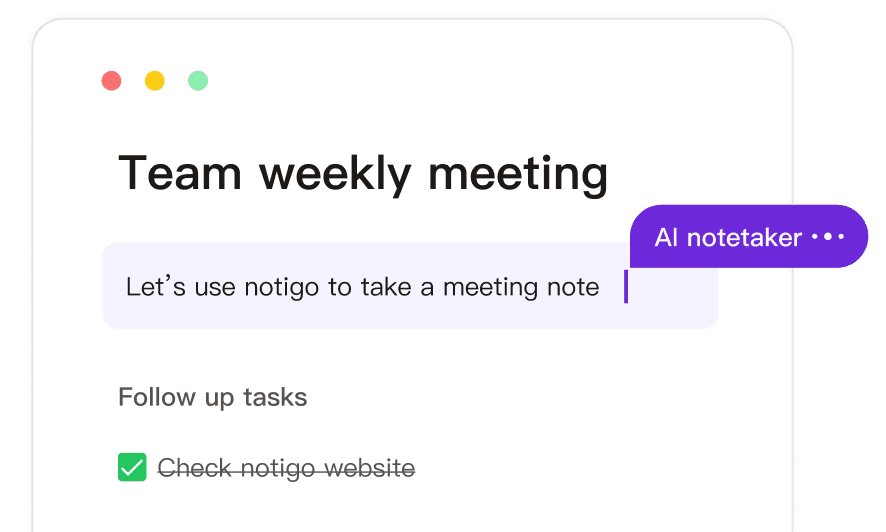

The best lecture recorder for biology students is Notigo—an AI notepad that creates real-time, structured summaries you can edit while your professor speaks. Instead of getting a messy transcript full of scientific terms to organize later, you get notes automatically broken down by topic—whether that's cellular processes, organism characteristics, or experimental methods.
Biology lectures are uniquely challenging because they combine memorization with understanding complex processes. You're learning hundreds of species names, cellular pathways with a dozen steps, and intricate diagrams that take minutes to explain. Most recording apps just dump everything into one long transcript. Notigo is different—it organizes content as your professor lectures, creating sections for processes, examples, and mechanisms that actually make sense when you study later.
Why Biology Lectures Are Hard to Take Notes On
Biology courses cover more ground than almost any other science. Unlike chemistry where you focus on reactions, or physics where you work through equations, biology asks you to understand living systems at every scale—from molecules to ecosystems. A single lecture might cover protein synthesis at the cellular level, then zoom out to how that process affects entire organisms, then discuss evolutionary implications across species.
The challenge intensifies because biology is both memorization-heavy and concept-driven. You need to memorize the Krebs cycle's specific steps AND understand why each step matters for cellular energy. You're learning classification systems with hundreds of species AND understanding the evolutionary relationships between them. Your professor shows a diagram of a nephron and expects you to remember both the anatomical structure and the physiological process happening at each segment. Here's what makes biology note-taking particularly difficult:
- Terminology overload: Scientific names, cellular structures, biochemical pathways, and process names pile up quickly
- Multi-level thinking: Every topic exists at molecular, cellular, tissue, organ, organism, and ecosystem levels
- Visual-heavy content: Diagrams, cycles, and structures are essential but hard to capture in text notes
- Process-based learning: Understanding photosynthesis isn't just knowing the equation—it's following light reactions through multiple steps
- Constant examples: For every concept, there are multiple species or case examples you need to remember
- Lab integration: Lecture content directly connects to what you'll do in lab, requiring both theoretical and practical understanding
When you're manually typing notes, you're constantly choosing between capturing a diagram description, writing down the species example, or following the mechanism explanation. Miss one piece, and the whole concept becomes harder to understand later.
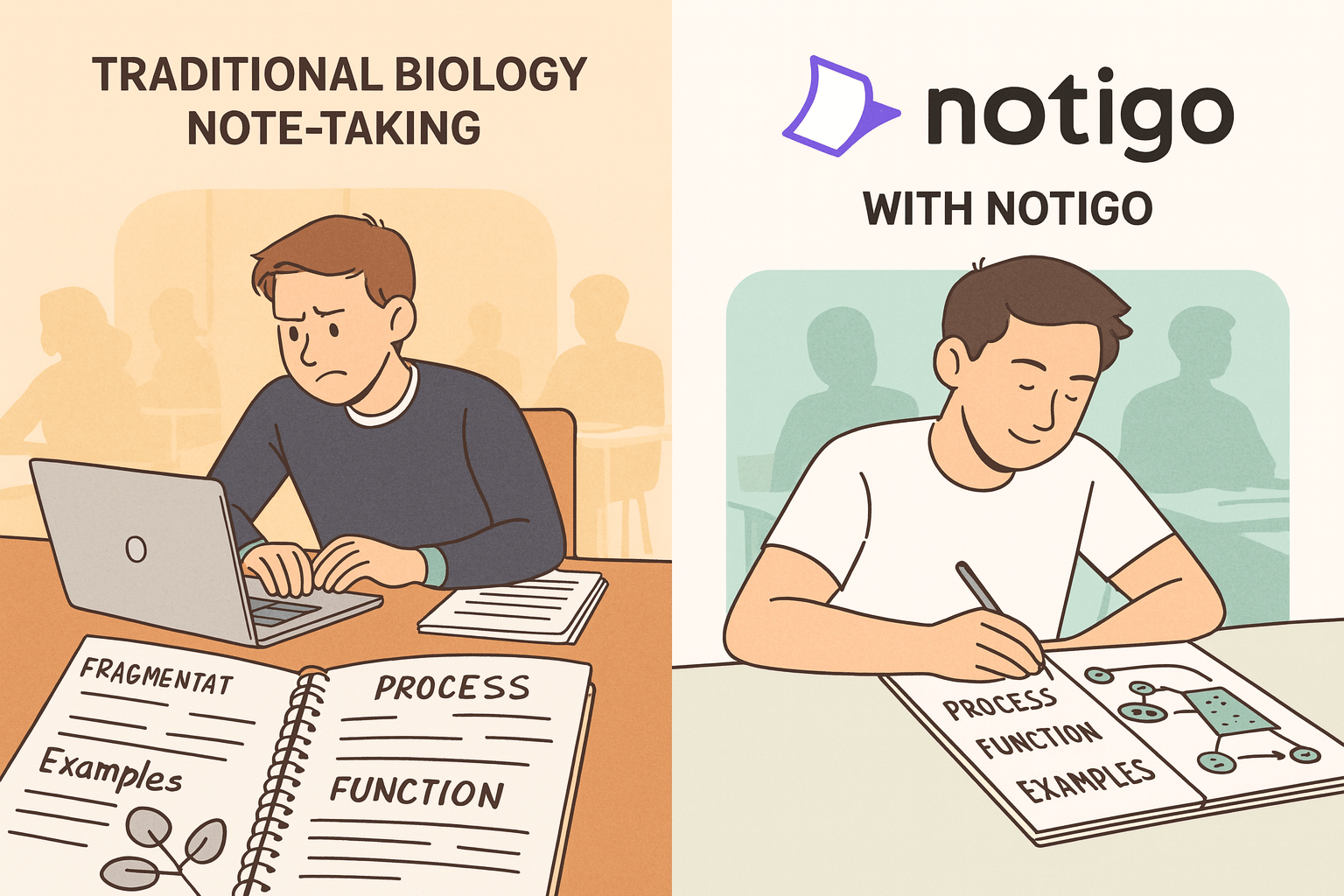
Notigo will greatly simplify the process of note-takin.
What Makes Notigo Different From Other Biology Recording Apps
Most biology students who try recording lectures give up quickly. You either get an hour-long audio file you'll never have time to re-listen to, or you get a basic transcript that's just a wall of scientific terminology with no structure. Neither helps when you're preparing for exams or writing lab reports.
Notigo takes a fundamentally different approach designed specifically for science students. Instead of just transcribing words in order, it recognizes when your professor shifts between different aspects of a topic—like moving from describing a structure to explaining its function, or from presenting a process to giving examples. This automatic organization means you're not spending hours after class trying to reorganize your notes into something study-worthy. Here's what makes Notigo work for biology specifically:
Here's what Notigo actually does:
- Creates structured summaries in real-time: Notes organize automatically as your professor lectures, not afterward when you'd rather be studying
- Handles scientific terminology accurately: 90-95% accuracy on terms like "phosphorylation," "phytoplankton," or "glycolysis"
- Separates processes from examples: When your professor explains photosynthesis then gives a plant species example, these become distinct sections
- Edit during the lecture: Add diagram descriptions, correct a species name, or emphasize exam hints immediately
- Captures multi-step processes clearly: Complex pathways like cellular respiration are broken into readable stages
- No recording storage: Processes audio in real-time and deletes it, so you're left with text notes that are easy to search and organize
The fundamental difference: other apps give you raw data to process later. Notigo gives you organized study notes you can use immediately, structured the way biology content actually works.
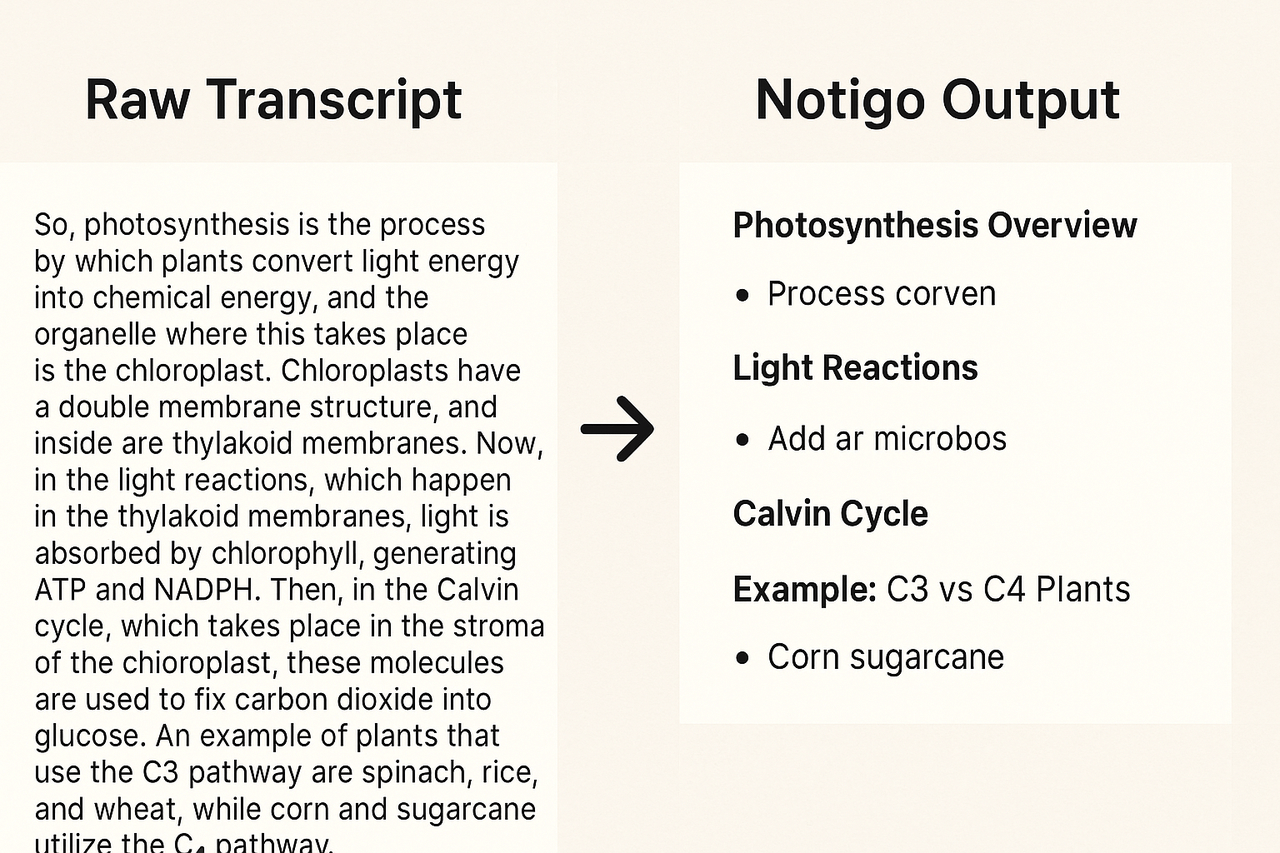
With Notigo, you don't just get raw transcripts. Instead, you get organized notes that you can use to study from.
How Notigo Works: The Biology Student Workflow
Biology students are juggling lectures, labs, field work, and often multiple science courses simultaneously. You don't have time for complicated tools that require setup or learning curves. Notigo is designed to work immediately and consistently, whether you're in General Biology, Molecular Biology, Ecology, or Anatomy.
The workflow follows how successful biology students actually study: capture comprehensive information during lecture including the visual descriptions, add your own connections and observations immediately after, then integrate everything with your lab work and textbook reading. Here's the complete process:
Before Class Open Notigo in your browser—works on any laptop or tablet. When your professor starts lecturing, click record. If you're in a lab section with a teaching assistant explaining procedures, same process. No setup required.
During Lecture Your professor is explaining cellular respiration. As they speak, Notigo transcribes and automatically organizes the content into sections. You'll see structure forming in real-time:
- Cellular Respiration Overview
- Glycolysis steps and location
- Krebs Cycle process
- Electron Transport Chain mechanism
- ATP yield calculations
What you should focus on during class:
- Listen to understand mechanisms, not just memorize terms
- Add diagram descriptions when your professor shows visual content: "Diagram: mitochondria cross-section showing inner/outer membrane"
- Note species examples: "Example: hummingbirds have highest metabolic rate per gram"
- Highlight lab connections: "We'll test this process in lab on Thursday"
- Mark exam emphasis when professor says "This will definitely be on the test"
- Connect to previous topics: "This explains why we needed to understand ATP structure first"
You're not trying to capture every single word—Notigo handles that. You're adding the context, visual descriptions, and connections that make notes useful when you're studying or writing lab reports.
After Lecture (10-15 minutes) While the lecture is still fresh, do a quick refinement session:
- Sketch quick diagrams for any visual content, or note which textbook page has the diagram
- Add your own summaries in plain language: "Basically, glycolysis breaks glucose into pyruvate and makes a little ATP"
- Create comparison tables if relevant: "Mitosis vs Meiosis: both divide cells, but meiosis reduces chromosome number"
- Link to textbook reading: "See Campbell Biology Chapter 9 for more detail on cellular respiration"
- Flag confusion: "REVIEW: Why does FADH2 make less ATP than NADH?"
This 10-15 minute review replaces the 2-3 hours most biology students spend reorganizing scattered notes into something coherent.
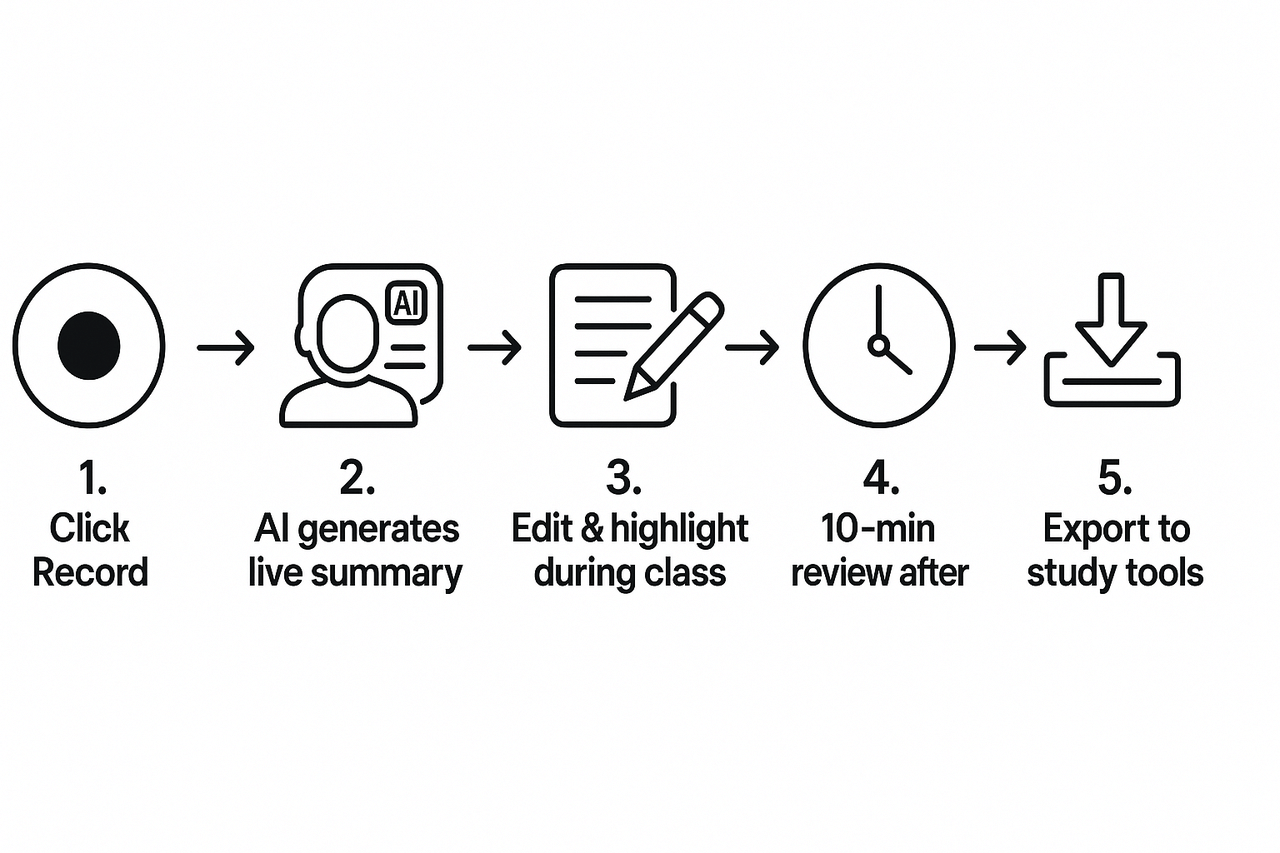
The workflow with Notigo couldn't be easier.
Real Example: What Your Biology Notes Actually Look Like
The difference between useful biology notes and useless ones comes down to organization and clarity. When you're studying for an exam, you need information grouped by process or organism, not randomly ordered by whatever your professor mentioned first. Traditional recording methods leave you with unstructured content that takes hours to reorganize. Notigo structures it automatically.
Let's compare what happens when your professor gives a 25-minute lecture on enzyme function—actual content from a typical Biochemistry or Cell Biology course:
Traditional recording gives you: A 25-minute audio file you'll have to replay while manually taking notes (defeating the entire purpose), or a 5,000-word transcript that starts mid-sentence and includes every tangent about the professor's research.
Notigo gives you:
Enzyme Structure and Function
- Enzymes are biological catalysts: proteins that speed up reactions without being consumed
- Active site: specific region where substrate binds, determines enzyme specificity
- Induced fit model: enzyme shape changes slightly when substrate binds (more accurate than lock-and-key)
Factors Affecting Enzyme Activity
- Temperature: increased temp increases activity until protein denatures (typically around 40°C for human enzymes)
- pH: each enzyme has optimal pH (pepsin works in stomach at pH 2, most enzymes prefer pH 7-8)
- Substrate concentration: reaction rate increases with substrate until enzyme is saturated
- Inhibitors: competitive (blocks active site) vs. non-competitive (binds elsewhere, changes shape)
Enzyme Regulation
- Allosteric regulation: molecules bind to sites other than active site, changing enzyme activity
- Feedback inhibition: end product inhibits early enzyme in pathway, prevents overproduction
- Example: threonine inhibits the first enzyme in its own synthesis pathway
Clinical/Applied Examples
- Lactase: breaks down lactose; deficiency causes lactose intolerance in ~65% of adults
- Enzyme supplements: lactase pills, digestive enzymes for pancreatic insufficiency
- Drug design: many medications work by inhibiting specific enzymes (aspirin inhibits COX enzymes)
You can review this in 5 minutes and have a complete understanding of enzyme function organized by concept. More importantly, it's already structured for studying—by function, factors, regulation, and applications.
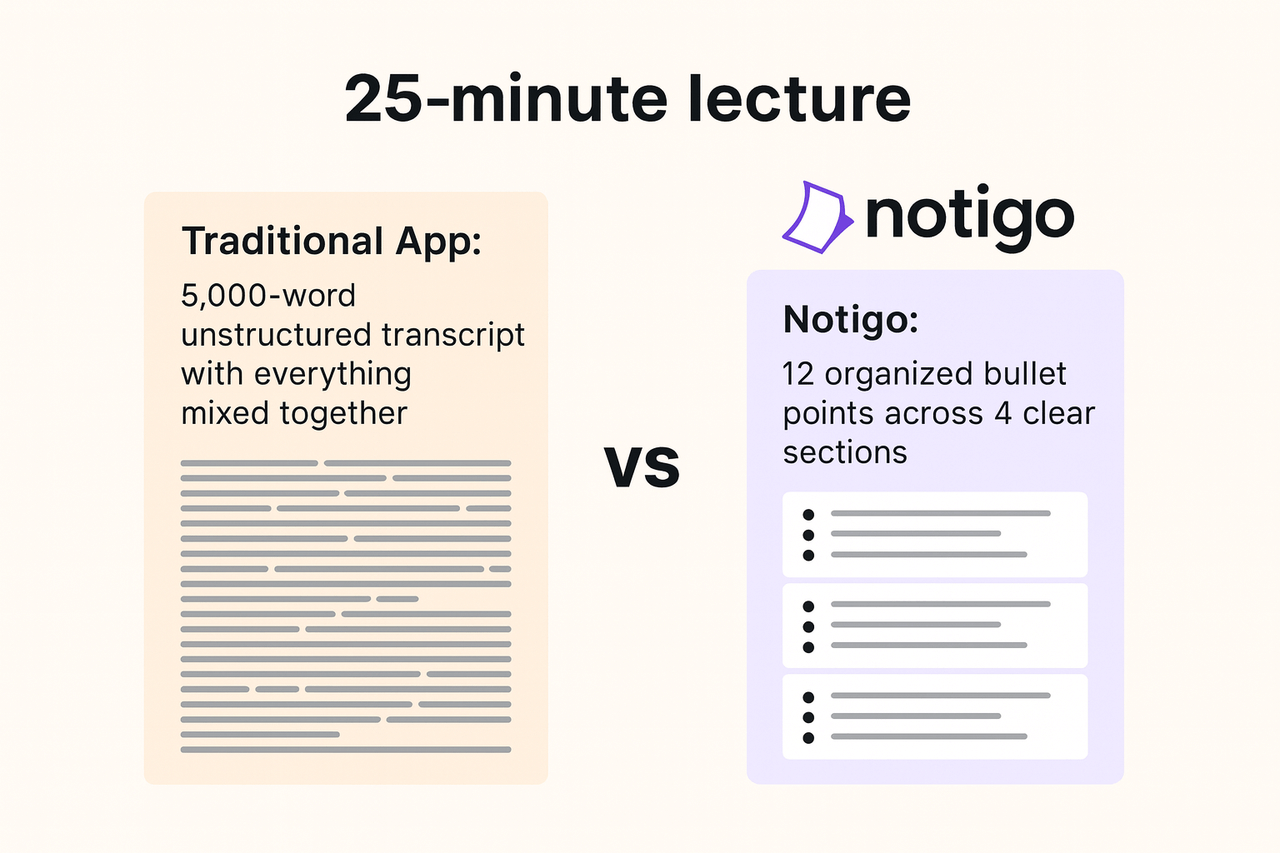
Get the most out of your lectures with Notigo, where you get structured, editable insights in real-time (and not just a transcript).
How Biology Students Actually Use Notigo
Biology is a broad field, and how you use Notigo depends on your specific courses and interests. A molecular biology major needs different strategies than an ecology major, and introductory courses require different approaches than advanced seminars. Notigo adapts to your specific needs without forcing you into a rigid system.
Here are the most effective ways biology students integrate Notigo into their study routines. Pick what works for your current courses:
For process-heavy courses (Cell Biology, Biochemistry, Physiology): Focus on capturing each step of processes like DNA replication, protein synthesis, or neural signaling. After class, number each step clearly (1, 2, 3...) and add a simple summary sentence for each. Create flowcharts showing how steps connect. Export these to study from or to create quiz questions for yourself.
For organism-based courses (Zoology, Botany, Microbiology): When your professor discusses different species or taxa, Notigo separates each organism into its own section. Add characteristics, examples, and ecological roles. After several lectures, export all your organism notes and create a master comparison table organized by phylum, class, or ecological niche.
For anatomy courses: Your professor describes structures while showing slides or models. Use Notigo to capture the descriptions, then immediately add: "See lab manual page X" or "Photo in textbook page Y." During the lecture, when your professor says "Notice the three layers," type in parentheses: (mucosa, submucosa, muscularis). Link text descriptions to visual resources.
For ecology and evolution courses: These courses are often concept-driven with many examples. Let Notigo capture the theoretical framework, then bold all the specific species or ecosystem examples. Create a separate document with all examples organized by concept: "Examples of Resource Partitioning: warblers in different tree zones, finch beak sizes, coral reef fish niches."
For lab courses: Record the pre-lab lecture or TA explanation of procedures. During the actual lab, take quick manual notes on observations. After lab, combine your Notigo procedure notes with your observations for your lab report. Many students copy the procedure section directly from Notigo into their lab report template, saving 30-40 minutes of writing.
Creating study guides: One week before exams, export all Notigo notes for the relevant units. Copy them into a master document organized by exam topics. Add practice questions under each section: "What are the three stages of cellular respiration?" Now you have a complete study guide with questions already built in.
Connecting Notigo to Your Biology Study System
Successful biology students don't just take notes—they build integrated study systems that connect lectures, labs, textbooks, and practice problems. The students who excel are those who can see connections across these different learning formats and retrieve information quickly when they need it.
The pattern is simple but powerful: Notigo handles the mechanical work of capturing and organizing lecture content. You spend your study time on what actually improves your understanding—drawing diagrams, testing yourself with practice problems, connecting lecture content to lab observations, and building conceptual frameworks. Here's how to connect Notigo with tools biology students actually use:
Option 1: Notigo → Anki (for memorization-heavy content) Biology has massive memorization components—species names, cellular structures, biochemical pathways. Copy your organized Notigo sections into Anki flashcards for spaced repetition. For example, from your notes on plant classification: Front: "What are the four main groups of gymnosperms?" Back: "Conifers, cycads, ginkgo, gnetophytes." The structure Notigo provides makes card creation much faster than starting from scratch.
Option 2: Notigo → Notion/OneNote (comprehensive reference) Create a notebook organized by course or topic (Cell Bio, Genetics, Ecology). Export each lecture from Notigo into the appropriate section. Add diagrams, photos from lab, and textbook notes to create a complete reference for each topic. By the end of the semester, you have a personal biology textbook organized exactly how you think.
Option 3: Notigo → Lab Reports When you record the pre-lab explanation, Notigo captures the procedure, rationale, and expected results. Copy the procedure section directly into your lab report template. Add your actual observations and results. This workflow cuts lab report writing time by 40-50% because you're starting with organized content rather than trying to remember what your TA said three days ago.
Option 4: Notigo → Textbook Integration After each lecture, open your textbook to the relevant chapter. Add textbook page numbers to your Notigo notes: "See Campbell Bio p. 198 for detailed glycolysis diagram." When studying, you can quickly find the visual resources that complement your lecture notes. Some students do the reverse—add their Notigo lecture notes as annotations in their textbook margins or digital textbook apps.
Option 5: Notigo → Study Groups Share your organized Notigo notes with study group members. When you meet, you're discussing concepts and quizzing each other rather than comparing what everyone wrote down. Some groups assign one person to record and share notes for each lecture, so everyone can focus entirely on understanding during class.
The key is consistency—pick the tools that match your learning style and use them for every lecture. Notigo makes all of these workflows faster because you're starting with organized, structured notes instead of random jottings or raw audio files.
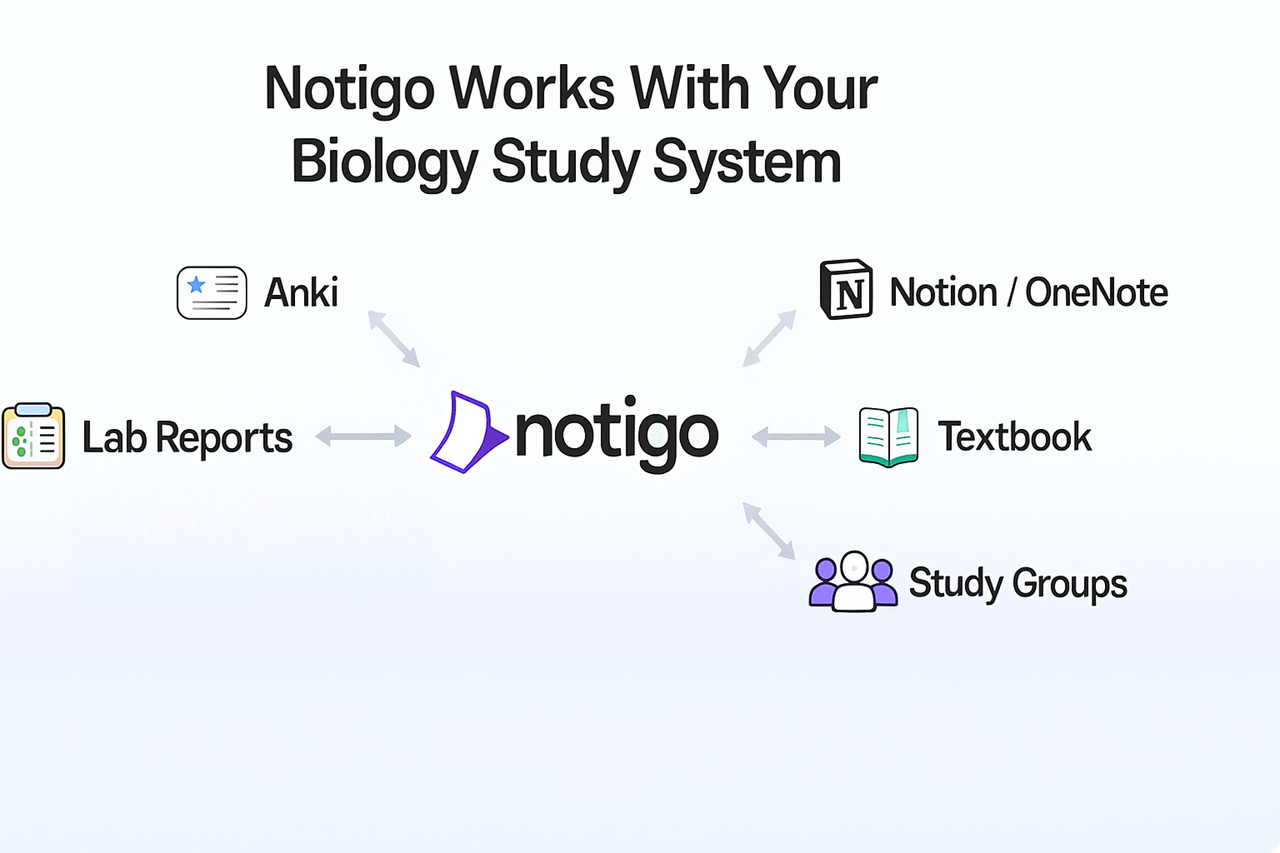
Notigo works will all your favorite study tools.
FAQ
Can Notigo record biology lab demonstrations and procedures?
Yes, Notigo works excellently for recording lab demonstrations, pre-lab explanations, and TA instructions. When your TA explains a dissection procedure or demonstrates how to use a microscope, Notigo captures the step-by-step instructions while you watch and listen. This is particularly valuable because lab procedures are often explained quickly and not written down anywhere. However, during the actual hands-on lab work, take quick manual notes on your observations and results—you want your hands free for actual lab work, not typing. After lab, combine your Notigo procedure notes with your observation notes for complete lab documentation.
How accurate is Notigo with biological terminology and species names?
Notigo achieves 90-95% accuracy with scientific terminology, including complex terms like "endoplasmic reticulum," "deoxyribonucleic acid," or "phosphoenolpyruvate." For binomial nomenclature (species names like Escherichia coli or Homo sapiens), accuracy is generally good but may require occasional corrections. The advantage is that you see transcription happening in real-time, so if Notigo mishears "glycolysis" as "glycol ISIS," you catch it immediately and fix it during lecture. This is dramatically better than discovering garbled notes when you're studying at midnight before the exam.
Do I need professor permission to record biology lectures?
Recording policies vary by university—check your school's specific guidelines in the student handbook. Many biology professors allow recording for personal study use, especially for lecture courses. The advantage with Notigo is that it processes audio in real-time to create text notes, then immediately deletes the recording. You end up with editable notes, not an audio file, which often doesn't fall under the same restrictions as traditional recording. However, always verify your institution's policy, and if your professor explicitly prohibits recording, respect that policy and use Notigo only for permitted courses.
Does Notigo work for field biology courses and outdoor lectures?
Notigo can work for outdoor lectures or field course explanations if you have decent audio quality. Use your phone with Notigo in a browser and position it close to where your professor or guide is speaking. Background noise (wind, birds, water) can affect transcription accuracy, so this works best when the speaker is clear and relatively close. For field observations where you're identifying species or recording ecological data, you might prefer quick manual notes during the activity, then use Notigo later to record your verbal summary of what you observed. Many field biology students record voice memos describing their observations, then play those back through Notigo afterward for organized notes.
Can I use Notigo for recorded lecture videos or online biology courses?
Absolutely—this is one of Notigo's most powerful applications for biology students. Many professors post recorded lectures or use flipped classroom models with video content. Play the video and let Notigo transcribe and organize as it plays. You can watch at 1.5-2x speed to save time while still getting comprehensive notes. Pause when you need to sketch a diagram or review a complex process. This workflow is particularly useful for reviewing difficult topics—replay just that 10-minute section on the Krebs cycle and let Notigo capture it while you focus entirely on understanding the mechanism. Students report this cuts review time by 50-60% compared to rewatching at normal speed while manually typing.
How should I organize Notigo notes across multiple biology courses?
Create clear folders for each course: "BIO101-General," "BIO210-Cell-Bio," "BIO330-Ecology." Within each folder, name lectures by date and topic: "2025-11-19-Photosynthesis" or "2025-11-19-Protein-Synthesis." For courses that build on each other (like General Bio → Cell Bio → Molecular Bio), create a "Master Topics" folder where you copy and combine notes on the same process from different courses. For example, create one comprehensive "Cellular Respiration" document that includes intro-level content, detailed biochemistry, and any advanced topics from upper-level courses. Export to your preferred platform (Google Drive, Notion, OneNote) for long-term storage and searchability.
Does Notigo help with memorizing complex biological processes?
Notigo helps with memorization indirectly by creating organized notes that are easier to study from. The real memorization happens when you actively use those notes—turning them into flashcards, drawing diagrams from memory, or explaining processes out loud. After Notigo captures and organizes a complex process like the electron transport chain, spend time creating a simplified flowchart with numbered steps. Then test yourself by trying to draw and explain it without looking. Use the organized Notigo notes to check your accuracy. The combination—structured notes from Notigo plus active recall practice—is far more effective than passive rereading or highlighting.
Can I record my own voice explanations for biology concepts?
Yes, and many biology students find this incredibly useful. When you're studying, explain a concept out loud as if teaching it to someone else—this is called the Feynman Technique and it's highly effective for identifying gaps in your understanding. Record yourself explaining photosynthesis, protein synthesis, or ecological succession. Let Notigo transcribe your explanation. When you read it back, you'll immediately see where your explanation was unclear or where you're confused. This self-testing method helps you study more actively and identifies exactly what you need to review before exams.
The Bottom Line for Biology Students
Biology courses pack an enormous amount of information into every lecture—terminology, processes, examples, mechanisms, and applications all mixed together. The traditional approach of trying to type everything while also following complex explanations leaves you with fragmented notes that take hours to reorganize into something study-worthy.
Notigo fundamentally changes this dynamic. During lectures, you can focus on understanding how cellular respiration works, why evolution produces specific adaptations, or how ecosystems maintain balance—while Notigo handles the mechanical work of transcription and organization. After class, you spend 10-15 minutes refining and adding diagrams instead of 2-3 hours reconstructing what was said.
The difference isn't just time saved—it's better learning. When you stop fighting to capture every word, you can actually watch the professor's diagrams, think about the mechanisms, and make connections between topics. That deeper understanding is what improves exam scores and prepares you for upper-level courses or graduate school, not perfectly formatted notes.
If you're tired of spending more time organizing notes than actually learning biology, try Notigo for your next lecture. Let it handle the busy work so you can focus on understanding the beautiful complexity of living systems.